4
Using Line Out/In Jacks
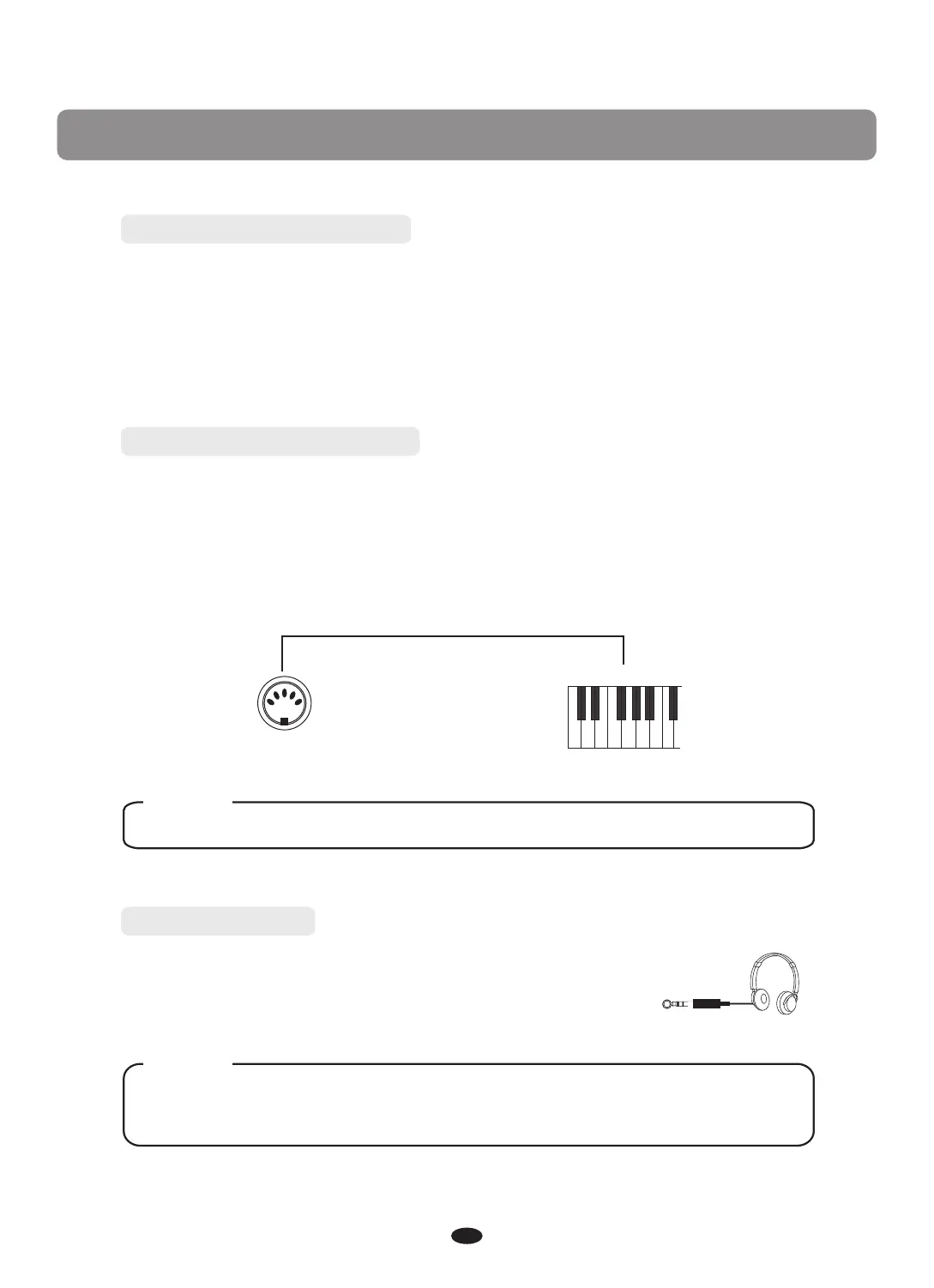
Using Midi Out Jacks
MIDI (Musical Instrument Digital Interface) is a world-standard communica-
tion interface which allows electronic musical instruments to communicate with
each other, by sending and receiving compatible note, program change and other
types of MIDI data.
NOTE
MIDI OUT Transmits MIDI data to another MIDI device.
MIDI OUT
MIDI IN
Plug a set of stereo headphone into the phones jack, and the
internal speaker system is automatically shut off when the
headphone is plugged.
PHONES
Never use headphones in high volume, as it may hurt your ears.
Phones jack
NOTE
Connect the external sound system to the Line In jack. The audio signal from
the external sound system can be mixed with the sound of your piano. This
function is convenient when you want to play along with a favourite song.
The Line Out jack can be used to of the piano to a
keyboard amplifier, stereo sound system, mixing console or tape recorder.
transmit the audio signal
Connection


 To Next Page