31
RECORD
PLAY
DEMO
MELODY 2MELODY 1ACCOMP.
SPLIT
HARMONY
FULL KEYB.
TWIN
RHY1
RHY2
BASS CRD1 CRD2
PAD
PHR1 PHR2
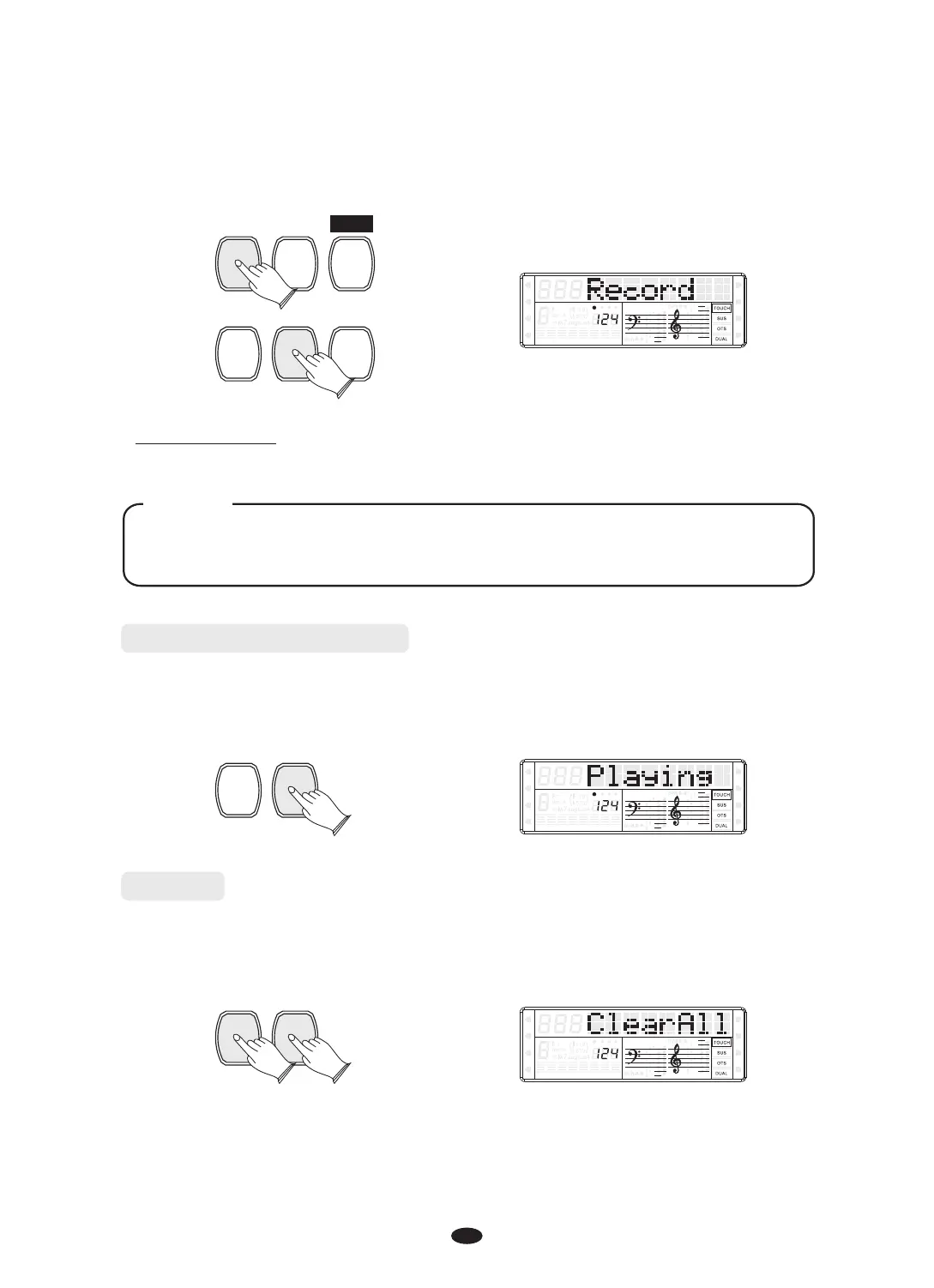
Stop Recording
Press [RECORD] button again to stop recording.
If the other track has data recorded, it will play when the record is started.
You also can press the track button to mute it.
NOTE
Listen to your Recording
To play the song from the beginning, simply press the [PLAY] button. Playback
stops when the [PLAY] button is pressed again.
RECORD
PLAY
SPLIT
HARMONY
FULL KEYB.
TWIN
RHY1
RHY2
BASS
CRD1 CRD2
PAD
PHR1 PHR2
Clear
Hold down the [RECORD] button and then press [PLAY] button to clear all recording
data. LCD display “Clear All”.
You also can hold down one of the tracks for about 2 seconds to clear the track
recording data.
RECORD
PLAY
SPLIT
HARMONY
FULL KEYB.
TWIN
RHY1
RHY2
BASS
CRD1 CRD2
PAD
PHR1 PHR2


 To Next Page