Assembly / Owner’s Manual
36
Todismountyourtnessmachine:
1. Move the Pedal you want to dismount from to the highest position, and bring the machine to a complete stop.
This machine is not equipped with a free-wheel. Pedal speed should be reduced in a controlled manner.
2. Grasp the Static Handlebars under the Console to steady yourself.
3. Withyourweightonthelowestfoot,swingtheupperfootoffthemachineanddownontotheoor.
4. Step off of the machine and release your grip from the Static Handlebars.
Getting Started
1. Placethetnessmachineinyourworkoutarea.
Place the machine on a clean, hard, level surface, free from unwanted material or other objects that may hamper your ability to move freely. A
rubbermatcanbeusedbelowthemachinetopreventthereleaseofstaticelectricityandprotectyourooring.
The machine can be moved by one or more persons. Make sure that your own physical strength is capable of safely moving the machine.
2. ExamineforanyobjectsbelowthePedalsandintheAirResistanceFan.Besureitisclear.
3. Connect the power cord to the machine and into a grounded AC Wall Outlet.
4. If you use the Heart Rate Monitor, follow the Chest Strap directions.
5. To mount the machine, move the Pedals until the one nearest you is in the lowest position.
Care should be used when mounting or dismounting the machine.
Be aware that the Pedals and the Handlebars are connected and when either of these parts move the other does as well. In order to avoid
possible serious injury, grasp the Static Handlebars to steady yourself.
6. GrasptheStaticHandlebarsundertheConsoleButtonAssembly.
7. Steadying yourself with the Static Handlebars, step up onto the lowest Pedal and place your other foot onto the opposite Pedal.
Note: “Bottomed out” is when the User is unable to start a workout because the Pedals will not move. If this occurs, safely grasp the Static
Handlebars and apply your weight to the heel of the higher foot. While still grasping the Static Handlebar, lean back slightly applying
more weight onto the heel. Once the Pedals begin to move, resume your intended workout.
8. PushtheUSERbuttontoselectthedesiredUserProle.
9. PushandholdtheUSERbuttontoedittheUserProle.
10. The Console will display the Units value. Use the Increase/Decrease buttons to adjust the Units value, and push the ENTER/START button to
set the value.
11. TheConsolewilldisplaytheWeightvaluefortheUserProle.UsetheIncreaseandDe-
crease buttons to adjust the weight value, and push the ENTER/START button to set the
value.
Note:BesuretoprogramyourUserProle(seetheEditaUserProlesection)before
startingaworkout.ThesuggestedTargetBurnRatesarebasedonyourUserProle
settings.
12. PushtheMax14MinuteIntervalbuttontobeginaQuickStartworkout.Allowtimetobecome
familiarwithhowyourBowexMaxTrainer
®
machine operates and responds to adjustments
of Resistance Level and Burn Rate.
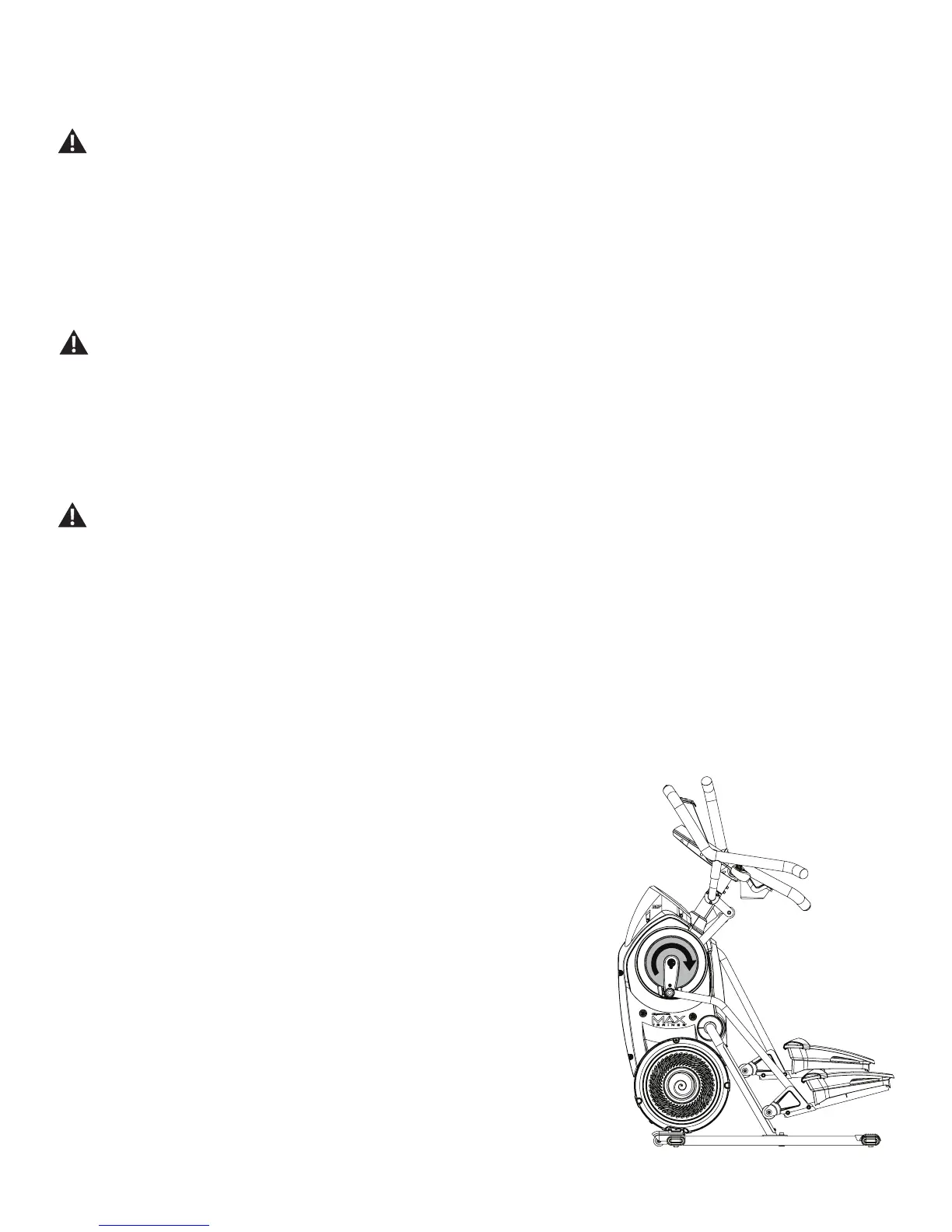
Note: WhenoperatingtheBowexMaxTrainer
®
machine, be sure the Legs are moving in the
direction as shown on the Crank Cover.














 To Next Page