Assembly / Owner’s Manual
22
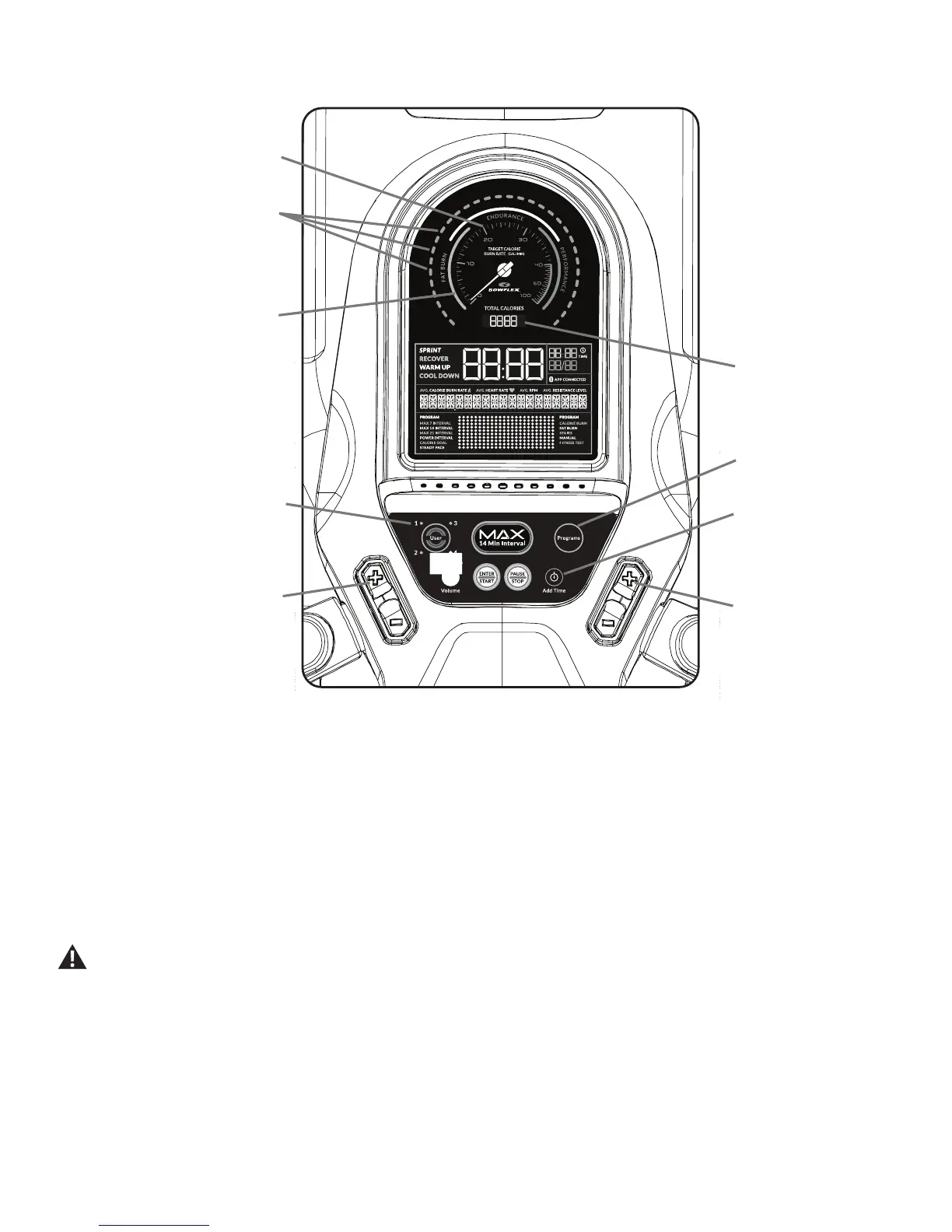
Burn Rate display
The Burn Rate display shows the level of calories being burned per minute. This rate is a function of Intensity, which is the current level of RPM
(pedalspeed)andresistancelevel(1-20).Aseitherofthosevaluesincrease,theBurnRatewillincrease.
Burn Rate Target LED range
TheBurnRateTargetLEDrangeisaworkoutcoachbasedonthesettingsoftheselectedUserProle.ArangeofveLED’sareactivatedduringa
workout.TherstoftheLEDsintherangeisasuggestedbeginnerlevel,withthehigherLEDsbeingforamoreadvancedtnessuser.TheIntensity
oftherangeisbasedontheWorkoutProleDisplay.
Note:BesuretheUserProleiscurrentforamoreexactcalorieburnrateandsuggestedtargetrange.
TheTargetLEDRangeisasuggestedworkoutlevel,andshouldonlybefollowedifyourphysicaltnesslevelallows.
During an Interval workout, the SPRINT segment will be red LEDs, and the RECOVER segment will be green LEDs.
Maximum Burn Rate LED marker
TheMaximumBurnRateLEDmarkerisanorangeLEDthatshowsthehighestrateofcalorieburnachievedduringthecurrentworkout.
Total Calories
display
Active User display
Programs button
Add Time button
Burn Rate Target buttons
Resistance Level buttons
Burn Rate display
Target Burn Rate
LED Range
BenetZonedisplay
Console Features














 To Next Page