Assembly / Owner’s Manual
38
Edit a User Prole
ForamoreaccuratecaloriecountandTargetCalorieBurn,aUserProleshouldbecustomizedtotheUser.
1. PushUSERbuttontoselectyourUserProle(User1-4).
2. Push and hold the USER button for 3 seconds to begin the Edit User mode.
3. TheConsolewilldisplaytheDISPLAYUNITSpromptwiththedefaultunitsvalue(“LBS”).UsetheBurnRateorResistanceLevel/Increaseor
Decrease buttons to adjust the value, and push ENTER/START to set the value.
4. TheConsolewilldisplaytheWEIGHTpromptwiththedefaultweightvalue(150LBS/68KG).UsetheBurnRateorResistanceLevel/In-
crease or Decrease buttons to adjust the value, and push ENTER/START to set the value.
Maximumuserweightlimit:300lbs.(136kg).Donotuseifyouareoverthisweight.
5. TheConsolewilldisplaytheERASEWORKOUTSpromptwiththedefaultvalue(“NO”).Ifnecessary,usetheBurnRateorResistanceLevel/
Increase or Decrease buttons to adjust the value. Push ENTER/START to accept the value.
6. TheUserProlereviewiscomplete,andtheConsolewilldisplaytheGETREADYscreen.
ToexittheEditUsermode,pushthePAUSE/STOPbutton.ThecurrentvalueswillbesavedtotheUserProle.
Workout Programs
TheWorkoutProgramsareorganizedintotwodifferentstylesofWorkouts:TargetCoachingWorkoutsandBenetModeWorkouts.
TARGET COACHING WORKOUTS
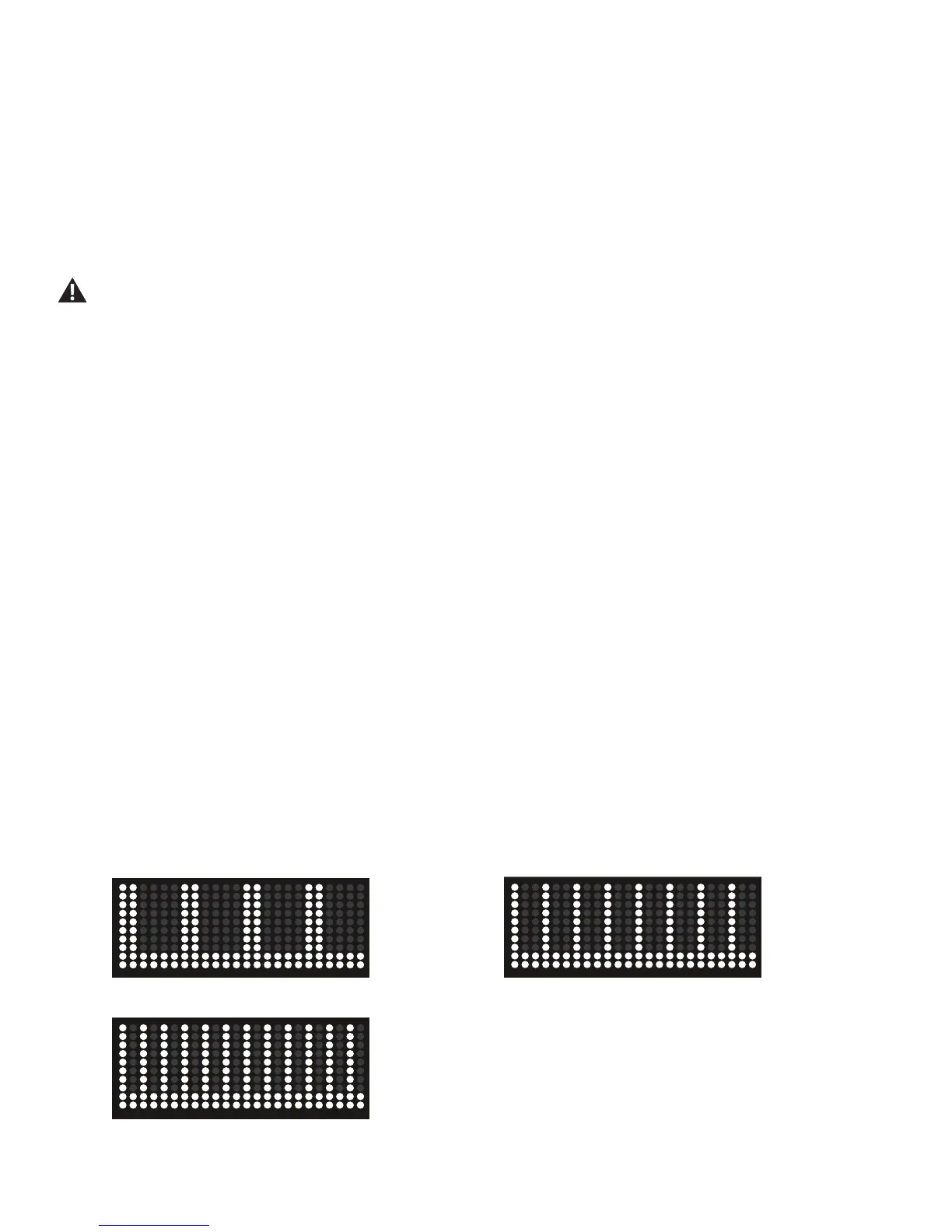
TargetCoachingWorkoutssuggestaBurnRateTargetfortheUserwiththeBurnRateTargetLEDs.TheBurnRateTargetisbasedfromtheprole
oftheWorkoutProgram.Thehigherthecolumn,themoreintensetheBurnRateTargetsegment.Theashingcolumnshowsthecurrentlyactive
segment.
After two Interval workouts have been completed by the same User, the Console will adjust the Target Coaching values based on the performance
duringtheSprintIntervals.TheConsolewillusethis"intelligent"valueasyourtnessbaseforfutureIntervalworkouts.
Max Interval
TheMaxIntervalProgramsareworkoutsthatalternatefromintenseburstsofoutput(“SPRINT”),toaslowerpaced,‘catchyourbreath’timeperiod
(“RECOVER”),bothofwhicharerepeatedoverthenumberofintervals.TheWorkoutProledisplayshowstheBurnRateTargetfortheInterval
program. For additional details, reference the "MAX 14 MINUTE INTERVAL Program" section of the manual.
Max 7 Minute Interval (4Intervals) Max 14 Minute Interval (8Intervals)
Max 21 Minute Interval (12Intervals)














 To Next Page