Assembly / Owner’s Manual
33
Todismountyourtnessmachine:
1. Move the Pedal you want to dismount from to the highest position, and bring the machine to a complete stop.
This machine is not equipped with a free-wheel. Pedal speed should be reduced in a controlled manner.
2. Grasp the Static Handlebars under the Console to steady yourself.
3. Withyourweightonthelowestfoot,swingtheupperfootoffthemachineanddownontotheoor.
4. Step off of the machine and release your grip from the Static Handlebars.
Power-Up / Idle Mode ( WELCOME screen )
The Console will enter Power-Up / Idle Mode if it is plugged into a power source, any button is pushed, or if it receives a signal from the RPM sensor
as a result of pedaling the machine.
Auto Shut-Off (Sleep Mode)
IftheConsoledoesnotreceiveanyinputinapproximately5minutes,itwillautomaticallyshutoff.TheLCDdisplayisoffwhileinSleepMode.
Note: The Console does not have an On/Off switch.
Manual ( Quick Start ) Program
TheManualworkoutprogramisanopen-endedworkoutthattracksyourtotaltime,allowingyoutotalcontrol.TheWorkoutProleDisplayshowsthe
Target Burn Rate for the Manual program.
1. Stand on the machine.
2. PushtheUSERbuttontoselectyourUserProle.
3. Push the START button to begin the Manual workout program.
4. When done with your workout, stop pedaling and push PAUSE/STOP to pause the workout. Push the PAUSE/STOP button again to end the
workout.
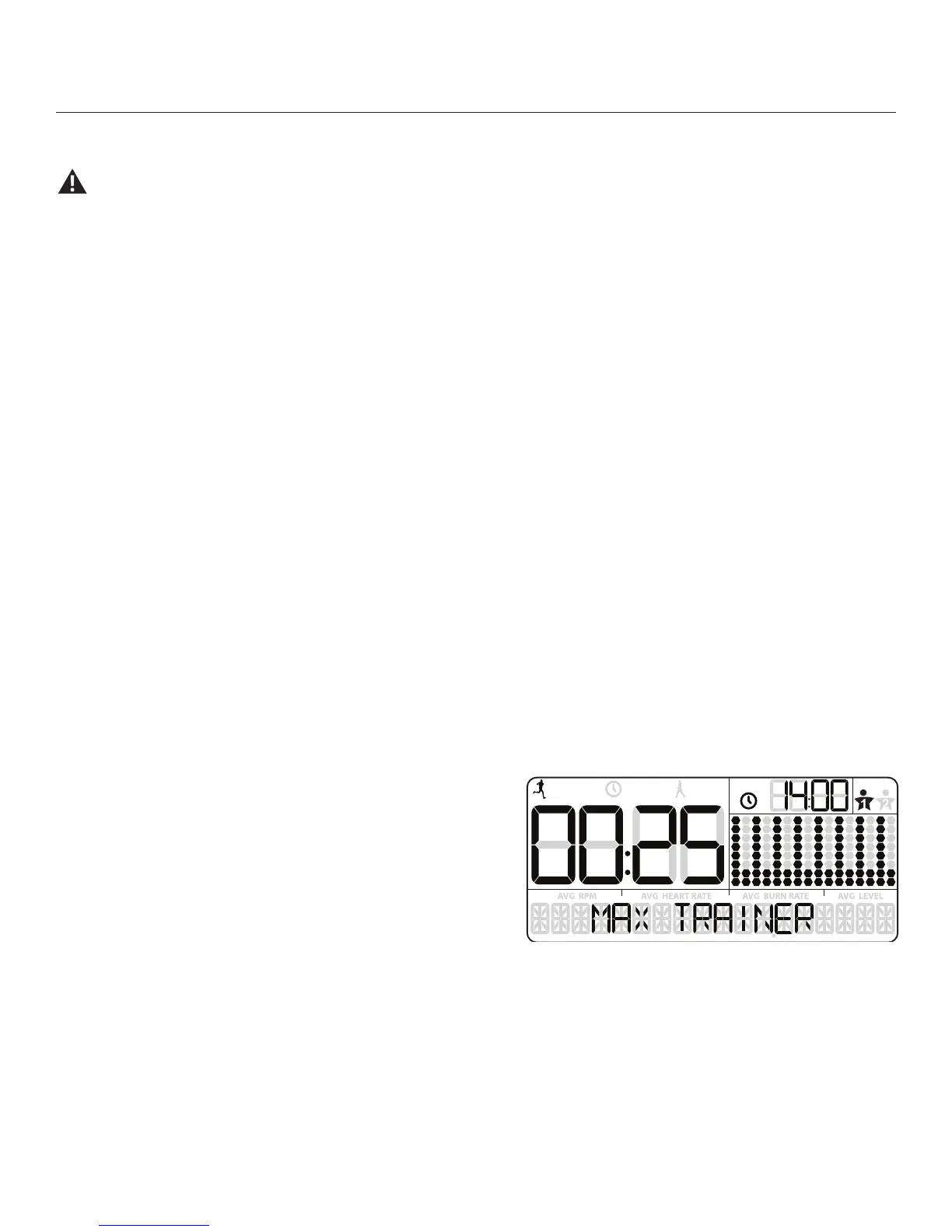
MAX Interval Workout Program
The MAX Interval Workout Program is a workout that alternates from intense
burstsofoutput(“ACTIVE”),toaslowerpaced,‘catchyourbreath’timeperiod
(“REST”),bothofwhicharerepeatedovereightcycles.TheWorkoutProle
Display shows the Target Burn Rate for the MAX Interval program.
1. Stand on the machine.
2. PushtheUSERbuttontoselectyourUserProle.
Note: During the workout, the Console will show the Target LED Range
basedontheselectedUserProlesettings.
3. Push the MAX Interval button.
Note:TheWorkoutProleDisplaywilladjusttheBurnRateproletothecurrentUsersettings.
4. The workout will begin with an audible countdown as the Burn Rate display needle sweeps across the display and then settles on the current
BurnRate.TheTargetBurnRateLED’swillalsoactivateandsweepuptotherecommendedBurnRate.
Therstworkoutsegmentisan“ACTIVE”intervalthatlastsforashorterperiodoftime.SafelypushyourselftogettheBurnRatedisplayinto
theTargetBurnRate(redLED’s)andkeepitintherangeuntilthetimereaches00:00.
Note:TheTargetBurnRate(LED)Rangeisprovidedonlyasasuggestedtarget.The5LEDrangeprovidesalessertarget,andallowsaUser
toprogresstothehigherLED’sintherangeastheirtnesslevelincreases.TochangetheTargetBurnRate(LED)Range,pushtheappropriate
USER
TOTAL
ACTIVE
REST
TOTAL









 To Next Page