Assembly / Owner’s Manual
34
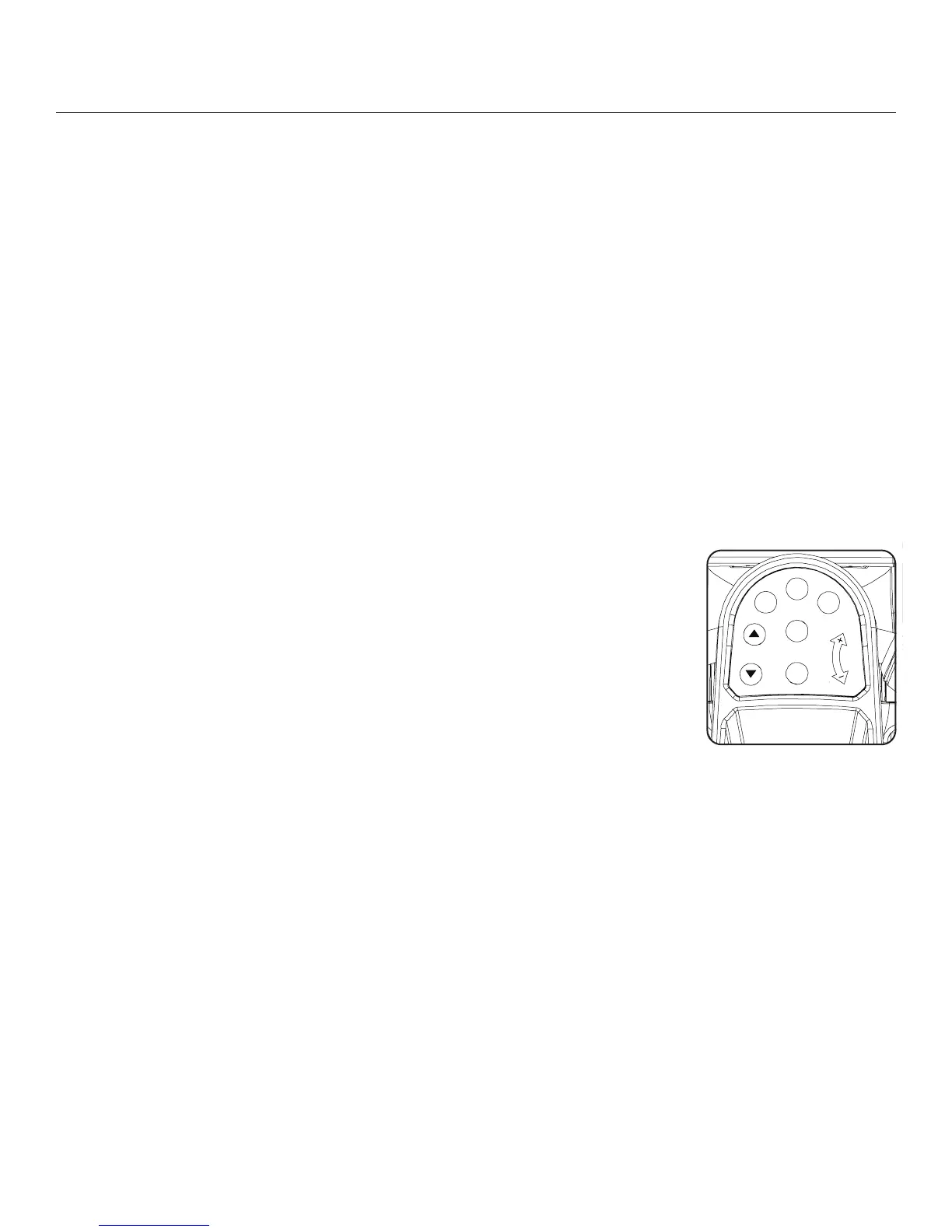
Burn Rate button until the Target Range is near the desired value.
Atthelast3secondsofthe“ACTIVE”workout,theConsolewillbeginanaudiblecountdown.
5. Astheintervaltimereaches“00:00”,theConsolewillmakethethirdaudibleconrmationandthenextsegmentoftheworkout,a“REST”seg-
ment, will begin.
The Target LED Range will shift from red to green and sweep to a reduced Burn Rate. During the REST Interval, continue to workout but at a
lower level.
At the last 3 seconds of the “REST” workout, the Console will begin an audible countdown. The interval is about to shift from a “REST” to an
“ACTIVE”intervalagain.
6. Astheintervaltimereaches“00:00”,theConsolewillmakeanaudibleconrmationandshifttothenext“ACTIVE”segment.
Theshiftfrom“ACTIVE”to“REST”segmentswillrepeatforatotalof8cyclesovertheworkout.
7. Whenthelast“REST”segmentiscompleted,theConsolewilldisplay”WORKOUTCOMPLETE”,andthenshowtheworkoutresults.TheCon-
solewilldisplaythetotaltimeofthe“ACTIVE”intervals,alongwithTOTALTIME.Ifthereisnoinputfor5minutes,theConsolewillautomatically
go into Sleep Mode.
Note: If an Interval workout is ended before all 16 segments have been completed, the Console will only show the last segment completed on
theProgramProle.
Paused / Results Mode
To Pause a workout:
1. Stop pedaling and push the PAUSE/STOP button to pause your workout.
N ot e: TheConsolewillautomaticallypauseifthereisnoRPMsignalfor5seconds.
2. To continue your workout, push START or start pedaling.
Whenpaused,theConsoledisplaywillshow“WORKOUTPAUSED”,andthenashtheworkoutvalues.
IftheworkoutdoesnotresumeorifthePAUSE/STOPbuttonispushed,theworkoutwilldisplay“WORKOUT
COMPLETE”, and the result values are displayed (Total Calories, Total Time, Average RPM, Average Heart Rate,
Average Burn Rate, and Average Level). If the workout was a MAX Interval workout, the Console will also display
thetotal“ACTIVE”intervaltime.
IfthereisnoRPMfor5minutes,theConsoleautomaticallygotothePower-Up/IdleMode.
Changing Resistance Levels
Use the Resistance Level Dial to adjust the resistance level. A Resistance level of “1” is the least resistance, a setting of “8” is the highest resistance
level.
PAUSE/END
START
BURN
RAT E
MAX
Interval
ENTER
USER
RESISTANCE
LEVEL









 To Next Page