28
47
48
49
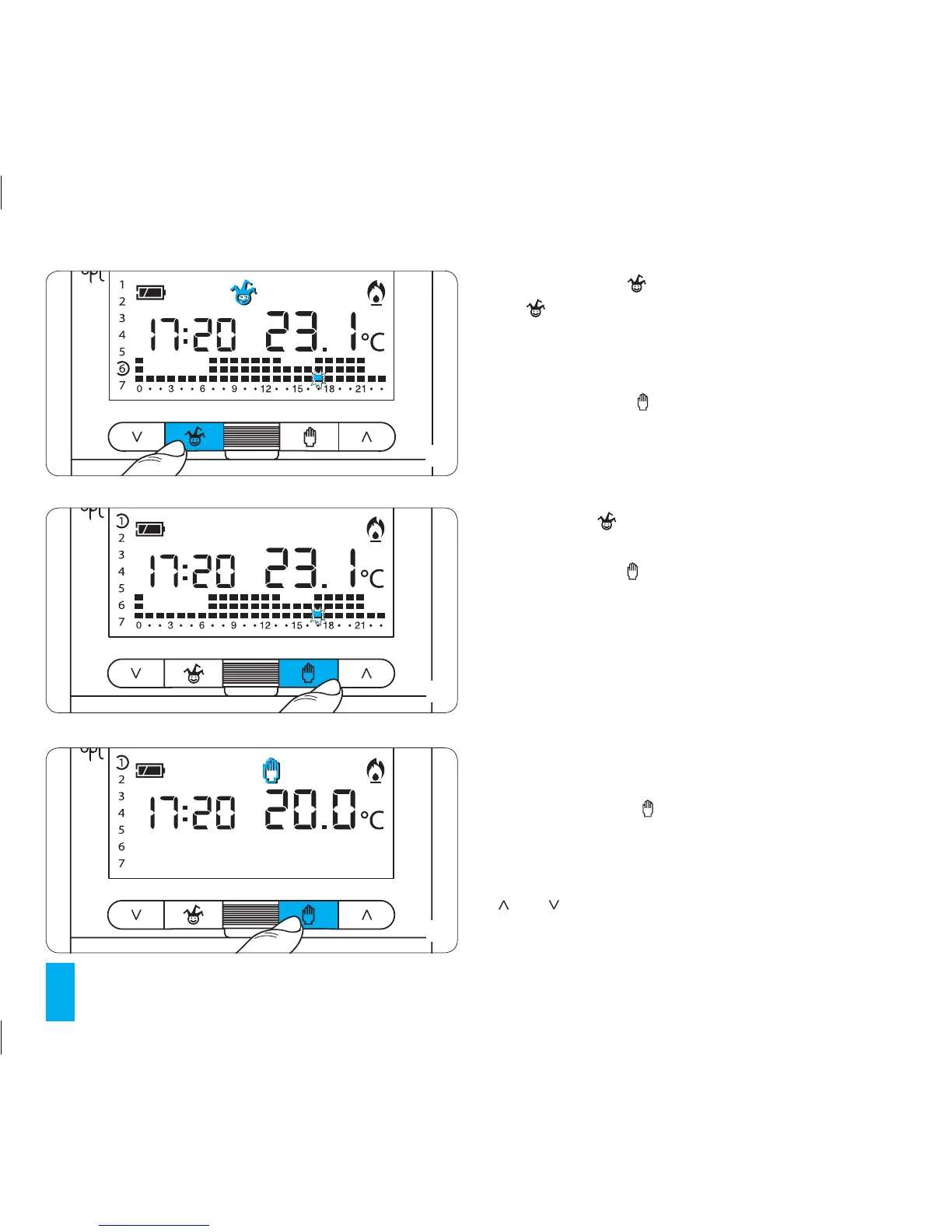
9.8- Press button (fig. 47).
The symbols appears confirming that the programme for
that day has been saved.
9.9- Complete the personalisation of the system as out-
lined in paragraphs 6.3 and 6.4.
9.10- Press button or wait 10 seconds for the thermo-
stat to return to AUTOMATIC mode.
At 0.00 on the selected day, the programme will be activated.
To cancel a specific programmed event move the indica-
tor to the corresponding day using button 1÷7 and then
press button .
To return to AUTOMATIC operating mode for the current
day press button (fig. 48).
This will happen in any case 10 seconds after the last
action. The all-purpose programme expires at the end
of the day
9.11- Reinsert the main unit of the thermostat.
10 MANUAL OPERATION
If a temperature that is different than the programmed
one is required but without modifying the set pro-
gramme then MANUAL operating mode can be accessed
by pressing button (fig. 49).
The event graphic will disappear from the display. The
value of the previously set temperature will now be dis-
played which can be changed as required using buttons
and (fig. 50) (The unit's default temperature is 20°C).



 To Next Page