27
8 TEMPERATURE LEVEL PERSONALISATION FOR
THE COOLING PROGRAMME
Extract the main unit of the thermostat. Select cooling
mode
.
Then set the desired temperature levels in the
same manner as set forth from point 6.3 on. Reinsert the
main unit of the thermostat.
9 ALLPURPOSE PROGRAMME
The unit includes an all-purpose programme mode that
can be used when on holiday and so on. It may be acti-
vated at any time of the current day and remains active
for the rest of that day. It can also be reserved for use on
any day of the week.
The programme stored in permanent memory features
the preset profile for Sundays (7), but it can be custom-
ised. To activate this programme for the current day,
proceed as follows.
9.1- Make sure that the unit is in AUTOMATIC operating
mode.
46
45
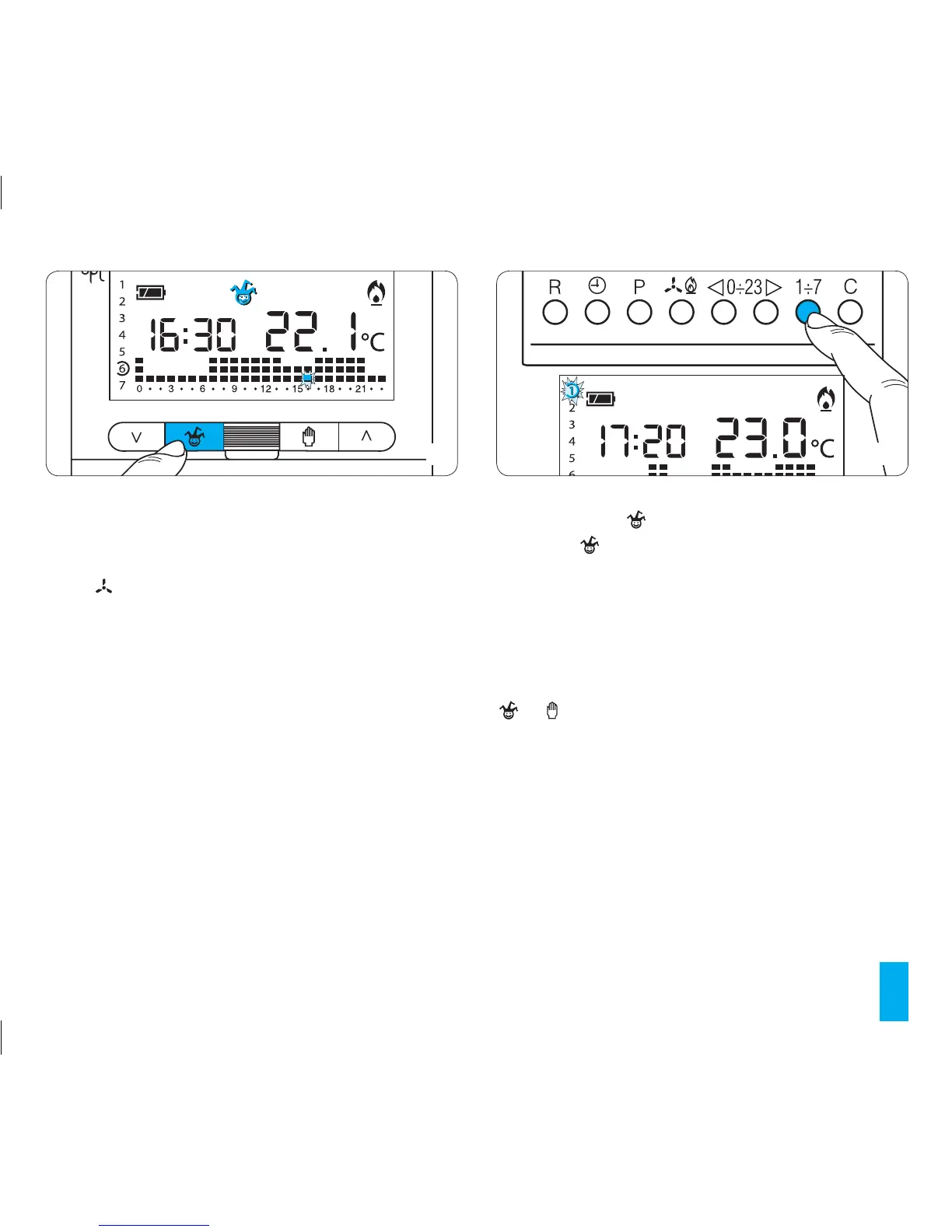
9.2- Press button (fig. 45).
The symbol confirms that the programme has started.
9.3- Complete the personalisation of the system as out-
lined in paragraphs 6.3 and 6.4.
At midnight the TH350 will return to automatic operating
mode.
9.4- To exit the ALL-PURPOSE programme and return
to AUTOMATIC operating mode press the either button
or .
If the ALL-PURPOSE programme is to be reserved for a
day other than the current one, proceed as follows:
9.5- Make sure that the unit is in AUTOMATIC operating
mode.
9.6- Remove the main unit of the unit.
9.7- Use buttons 1÷7 to move the indicator to the posi-
tion of the chosen day (fig. 46).
In place of the clock, the current hour will be displayed. For
example, at 16.25 the display will reveal 16:00.



 To Next Page