MEASUREMENT
If the TH350 is not properly situated (e.g. installed near a
heat source), temperature measurement may be incor-
rect or may not correspond to the actual room temper-
ature. Use the buttons (backwards) or (forward) to
change the temperature from 0.0°C (default setting) up
to ±3°C in increments of 0.1°C.
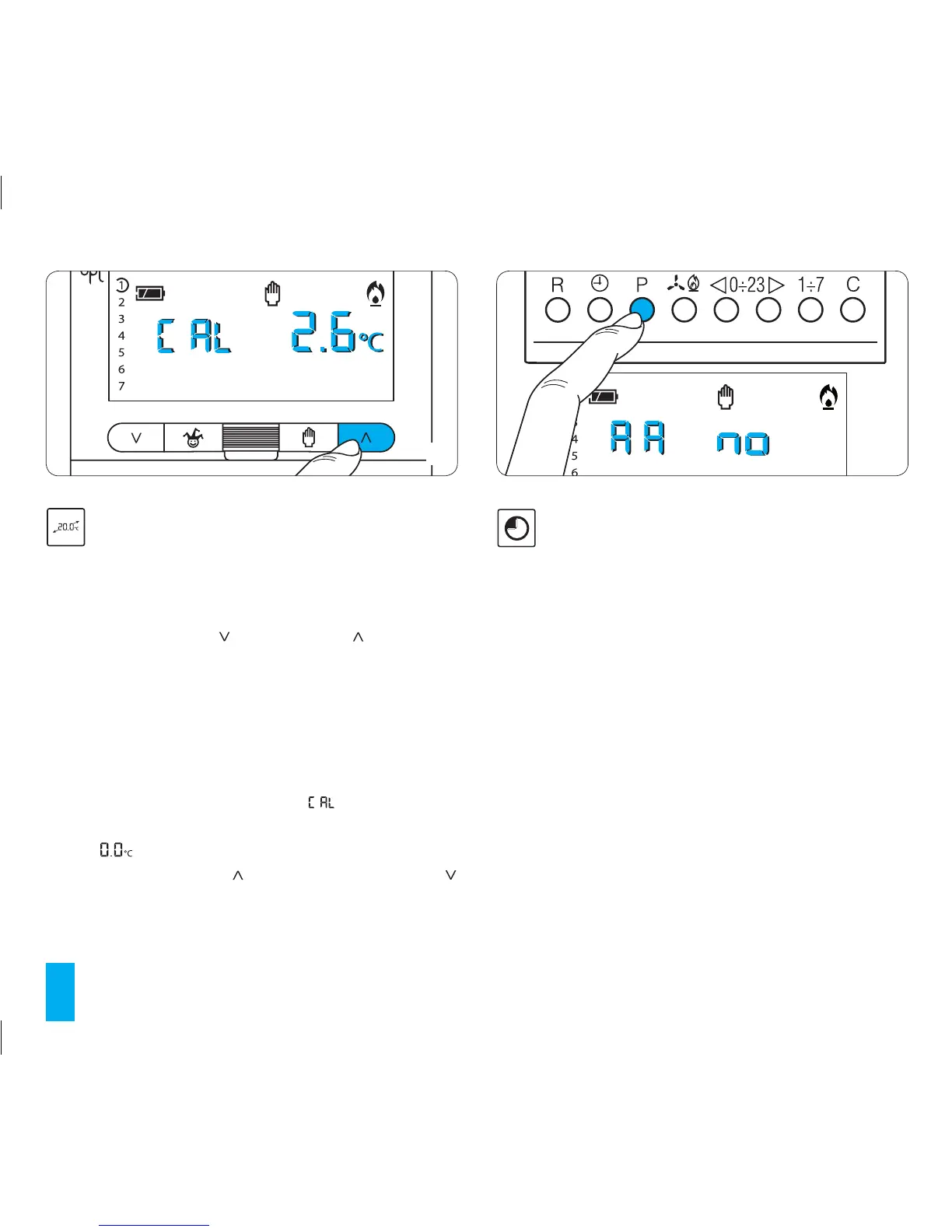
Calibration of temperature measurement
15.1- Make sure that the unit is in AUTOMATIC mode.
15.2- Press button P (fig. 66).
On the display, in place of the hour, will be displayed
and, in place of the indication for the temperature, there will
appear .
15.3- Press the buttons (forward) or (backwards)
(fig. 67) until the desired value of correction is arrived at.
This value will be saved to permanent memory, see
chapter 21.
67
68
16 AUTOMATIC ADVANCE
This function (only in heating mode) allows the
thermostat to automatically adapt the system start-up
time such that the desired temperature is arrived at in a
timely manner.
The advance is calculated as a function of the difference
between the measured and set temperatures together
with the data stored on the characteristics of the instal-
lation and the building. The maximum advance available
is three hours.
Example of operation
At 7.00 am the thermostat is set for a temperature of 20°C.
If before 7.00 am. the ambient temperature is below 20°C
the thermostat will advance system start-up so as to obtain
20°C at 7.00 am. Thanks to the self-learning mechanism, the
programmable thermostat memorises the thermal parame-
ters of the room in order to be more precise in reaching the
temperature on subsequent days.



 To Next Page