39
81
82
18.12- Press button P to exit programming.
All parameters for the proportional-integral setting are
saved to permanent memory. See chapter 21.
19 ACCUMULATED SYSTEM OPERATING TIME
The TH350 features an hour-counter (up to 9,999), which
records the system's accumulated number of operating
hours for each temperature level.
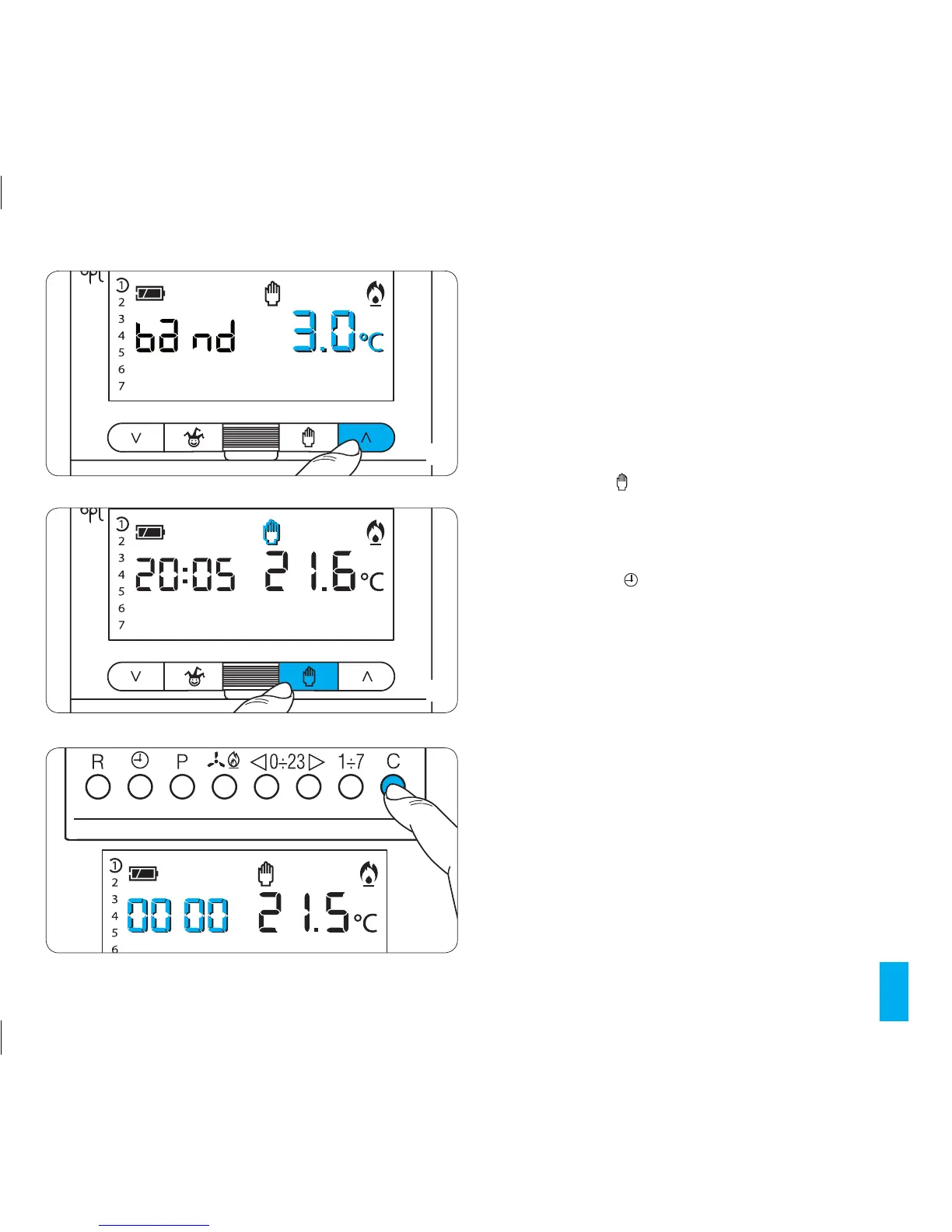
19.1- In order to visualise the stored data switch to MANUAL
mode using the button (fig. 82), extract the main unit of
the thermostat and press the C button (fig. 83).
The display will reveal the total operating time for 5
seconds. To reset the counter to zero and start a new
count, press the button while the figures are visible.
The symbol will disappear after 5 seconds.
19.2- Reinsert the main unit of the thermostat.
20 REMOTE CONTROL
By connecting an appropriate interface to the terminal
block connections 1-2 (fig. 19 or 20) it is possible to:
- manually override the operation of the unit in manual
mode,
- activate a special programme at the end of that which
was previously programmed.
- manually override the operation of the unit in manual
mode.
The set temperature refers to the last setting assigned to
the unit in MANUAL mode.
83



 To Next Page