31
57
58
59
By pressing button (fig. 58) it is possible to switch from
FROST PROTECTION to AUTOMATIC heating mode.
A reset in FROST PROTECTION or SYSTEM BYPASS mode
will cause the system to restart in automatic heating
mode.
12.5- Reinsert the main unit of the thermostat.
13 TIMED MANUAL PROGRAM
If a fixed temperature is to be maintained for a few hours
or a few days (for example, to maintain a comfortable
temperature for a longer period when unexpected guests
arrive, or when an economical temperature is required
during long periods of absence), MANUAL TIMED pro-
gramme mode can be activated.
Once the desired duration has been set, the device starts
a countdown. When it reaches zero, the unit switches
from MANUAL to AUTOMATIC mode, resuming the set
programme.
Programming in terms of hours or days
13.1- Make sure that the unit is in MANUAL operating
mode.
13.2- Set the desired temperature using buttons and .
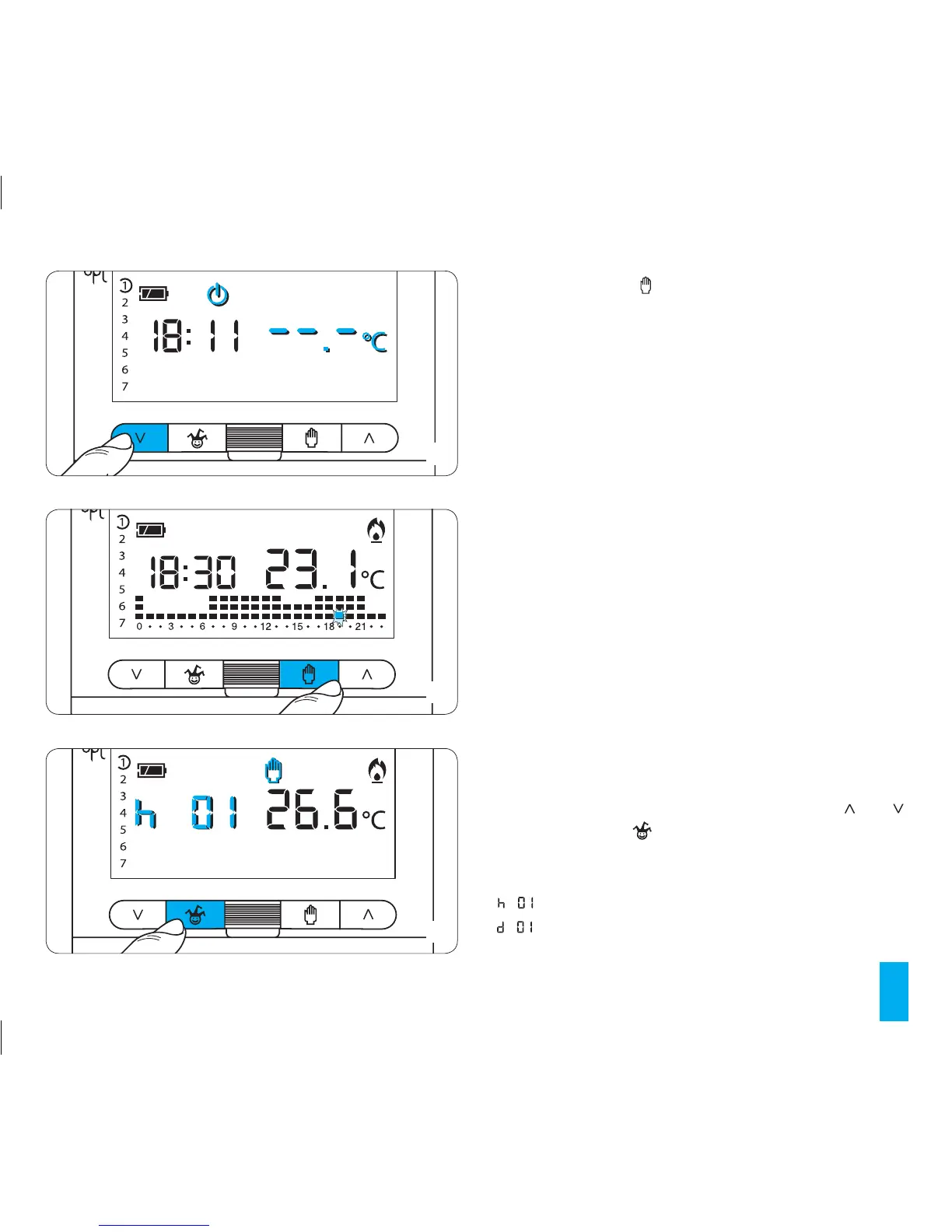
13.3- Press button once to set the hour (fig. 59), twice
to set the days applicable (fig. 60).
If the hours are being set then instead of the current time
will appear on the display. If the days are being set then
will appear.



 To Next Page