32
62
61
60
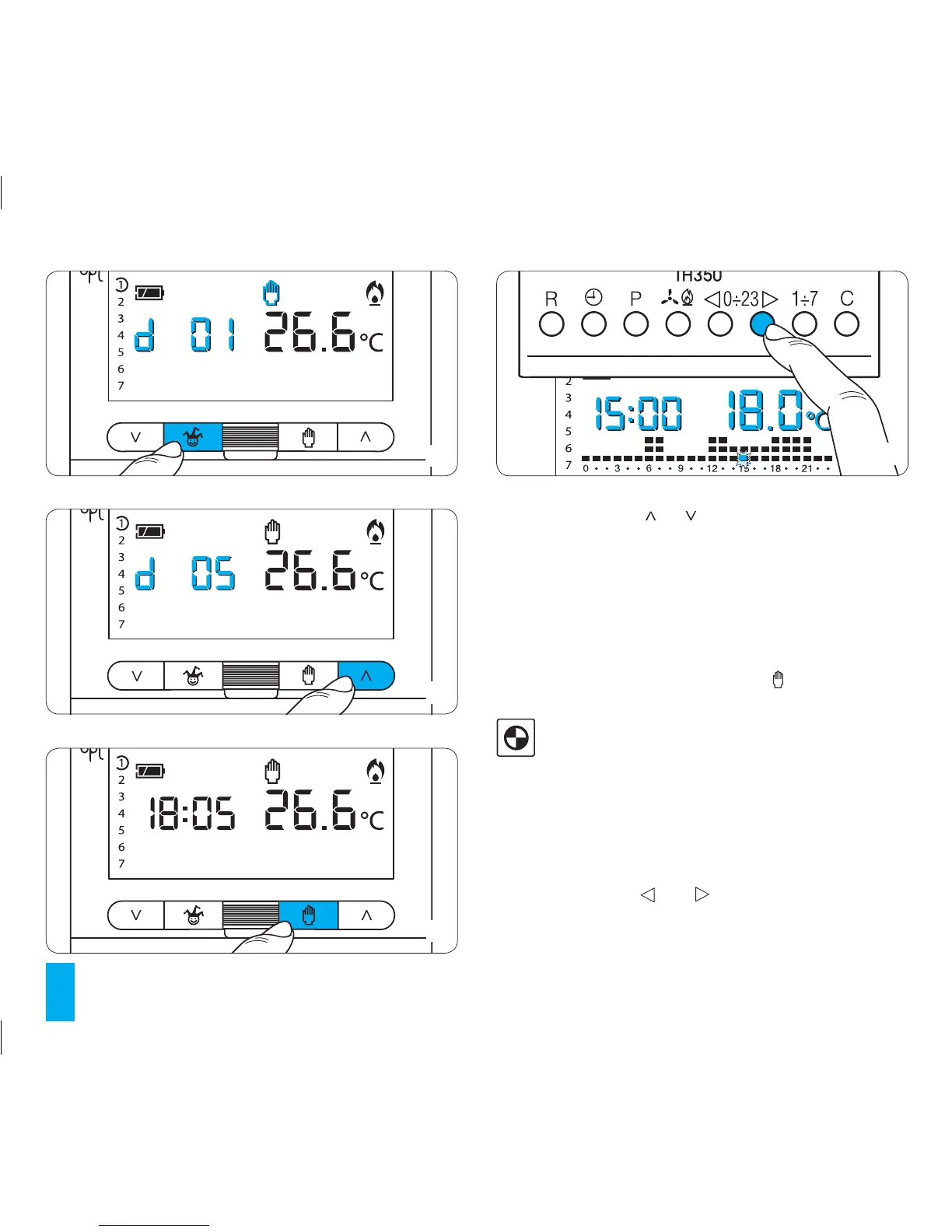
13.4- Press buttons or until the desired number of
hours or days from 1 to 99 is reached (fig. 61).
The count of hours and days includes those when pro-
gramming is performed. The remaining part of the hour
and day when the operation is performed is therefore
counted as one hour or as one day.
Note. To return to AUTOMATIC operating mode before the
programmed period expires press the button (fig. 62).
14 SETTING THE SYSTEM STARTUP
AND SHUTDOWN DELAY PERIOD
It is possible to delay system start-up and shutdown by
15, 30, or 45 minutes. To activate this function, proceed
as follows.
14.1- Make sure that the unit is in AUTOMATIC mode.
14.2- Press buttons 0÷23 (fig. 63).
The display indicates the value of the temperature set for the
hour indicated on the current day.
63



 To Next Page