35
70
69
71
Automatic advance selection.
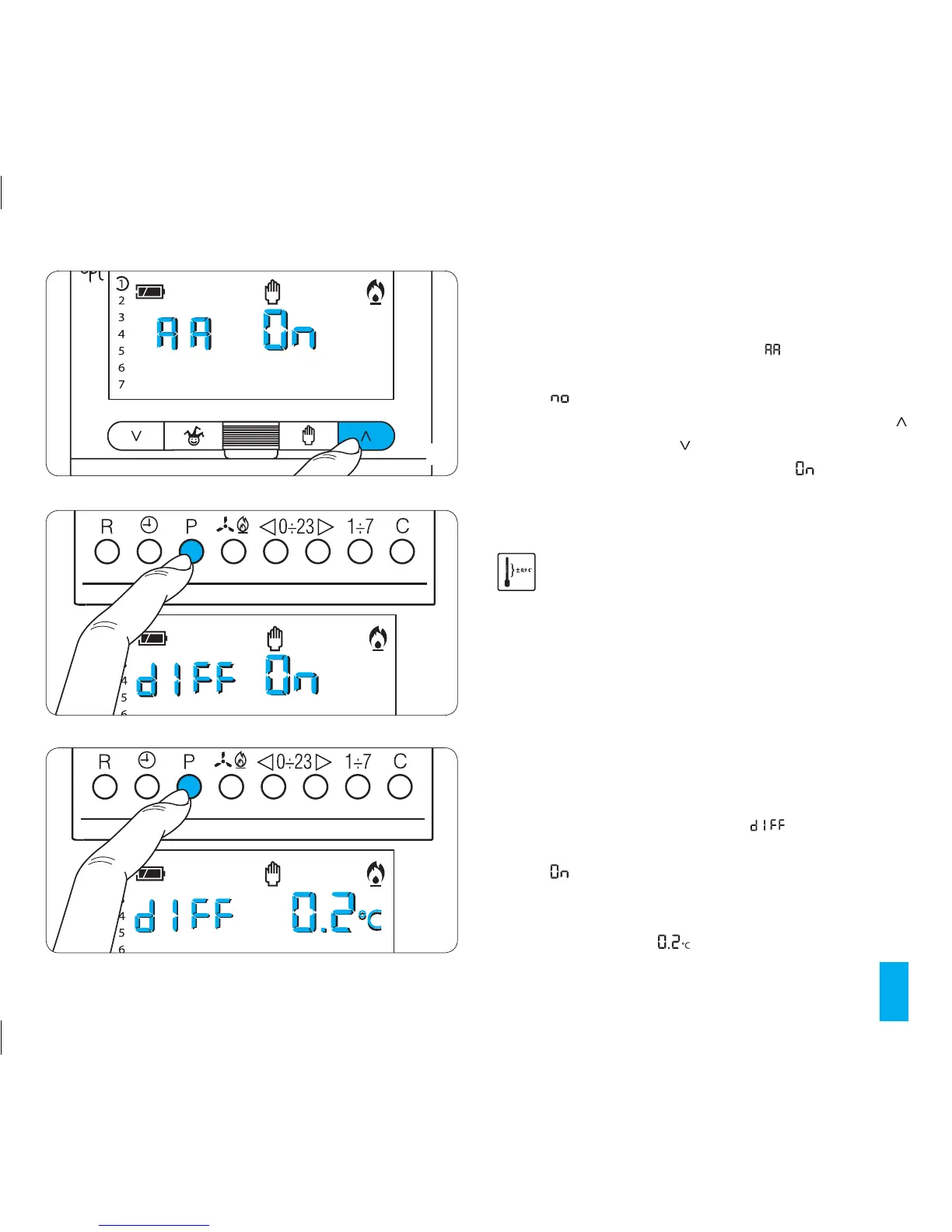
16.1- Make sure that the unit is in MANUAL operating mode.
16.2- Press button P twice (fig. 68).
On the display, in place of the hour,
will be displayed
and, in place of the indication for the temperature, there will
appear .
16.3 - To set the automatic advance press buttons
(forward) or (backwards) (fig. 69).
On the display, in place of the temperature,
will appear.
The automatic advance period will be saved to perma-
nent memory, see chapter 21
17 THERMAL DIFFERENTIAL
Selection of traditional adjustment system with
thermal differential adjustable between 0°C and 0.9°C.
This adjustment system is recommended for systems
with extreme variations in outdoor temperature that are
especially difficult to control.
Differential adjustment system selection
17.1- Make sure that the unit is in MANUAL operating
mode.
17.2- Press button P three times (fig. 70).
On the display, in place of the hour, will be displayed
and, in place of the indication for the temperature, there will
appear .
17.3- Press the P button once again (fig. 71).
On the display, in place of the temperature the value of the
set thermal differential value will appear.



 To Next Page