40
85
84
This temperature will be maintained until the unit
remotely receives a deactivation command at which
point the TH350 will return to the state it was in before
activation.
It is possible to exit from remote MANUAL mode at any
time by pressing the button.
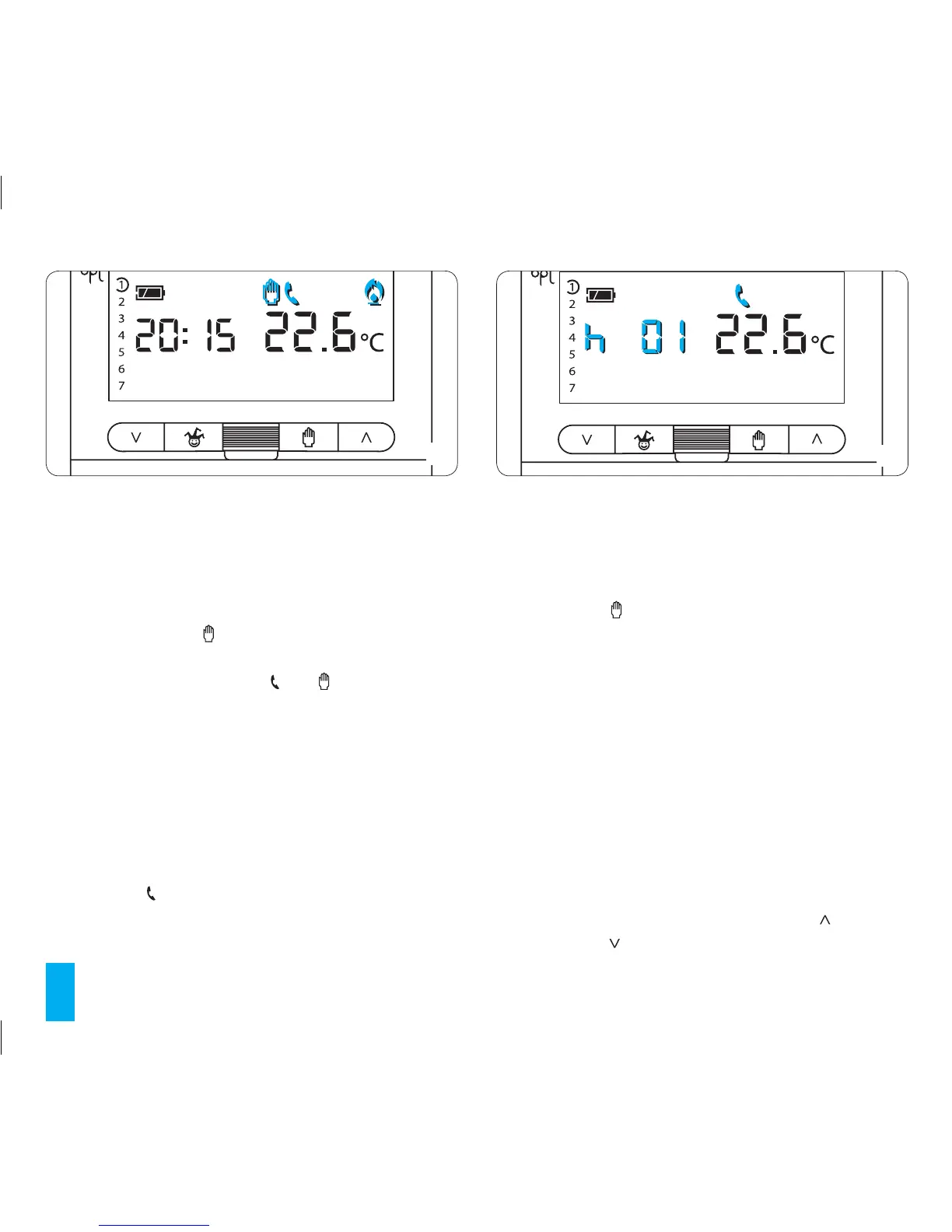
MANUAL mode activation can be recognised by the
presence on the display of the and symbols (fig. 84).
- Activate a special programme at the end of that
which was previously programmed.
The TH350 stores two different programmes in memory,
one for HEATING mode and one for COOLING mode.
Upon activation of the remote command the programme
for the current mode will be initiated.
When the fixed-time manual program is activated
remotely the symbol will appear.
If no other operations are performed then when the
program reaches its conclusion the TH350 will go back to
the status it was in prior to activation.
To cancel remote control of the fixed-time manual pro-
gram press the button.
The default setting of fixed time manual mode is one
hour at 20°C in HEATING mode and one hour at 24°C in
COOLING mode (fig. 85).
Note. When the program is activated remotely the time
remaining within the hour or day will be counted as a full
hour or day.
Fixed-time manual programming by remote control
20.1- Make sure that the unit is in MANUAL mode and
select the HEATING or COOLING mode to which the set
temperature is to be applied.
20.2 - Set the desired temperature using the (forwards)
or (backwards) buttons (fig. 86).



 To Next Page