41
86
89
87
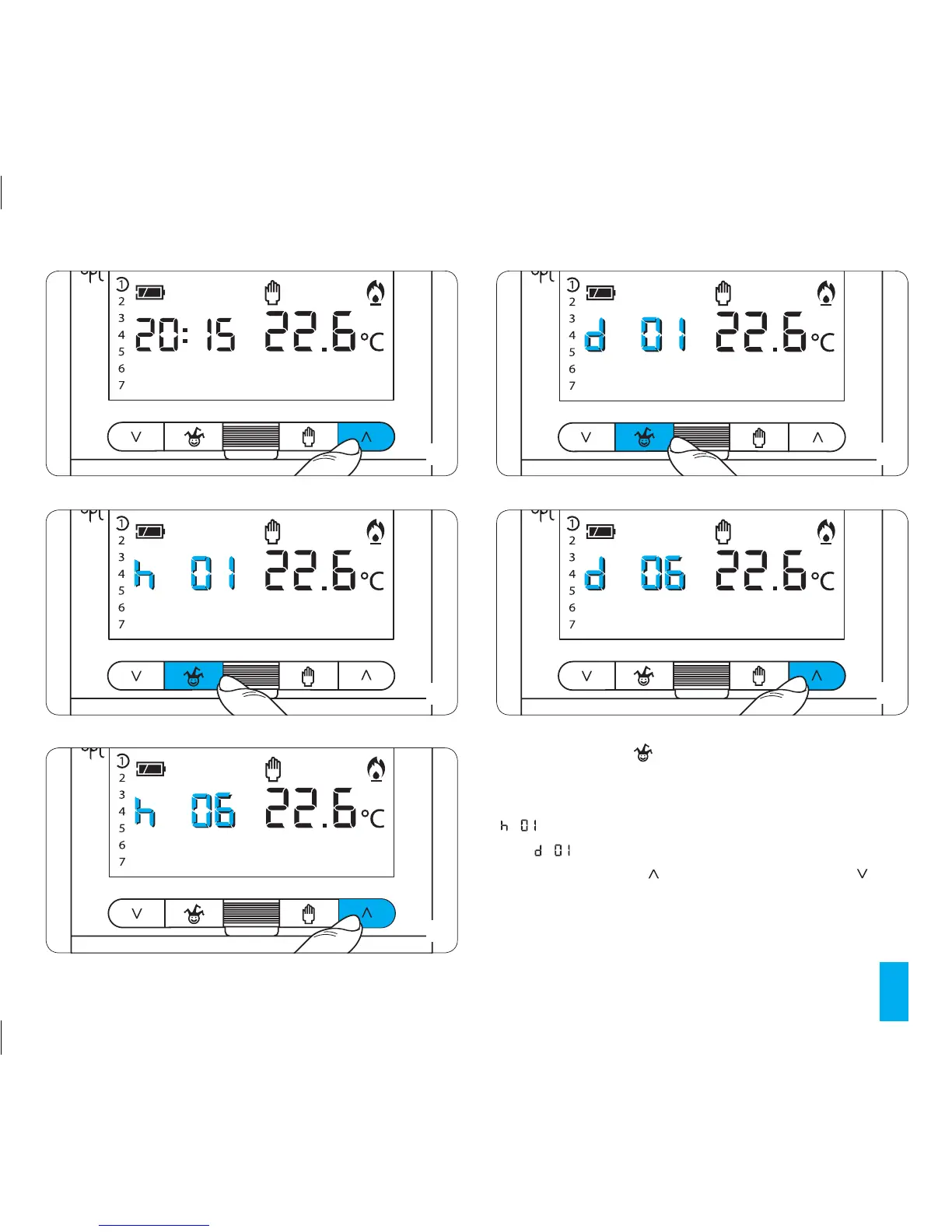
20.3- Press button once to set the hour (fig. 87), twice
to set the days applicable (fig. 89).
If the hours are being set then instead of the current time
will appear on the display. If the days are being set
then will appear.
20.4- Press buttons (forward) or (backwards) until
the desired number of hours (fig. 88) or days is reached
(fig. 90) from 1 to 99.
20.5- To save this programme such that it can be activat-
88
90



 To Next Page