Note! This command is used to reset the Printer. It is used from the computer and has the same effect
as pushing the key RESET PRINTER. Software Reset should be used with care: If the printer has not
finished printing, the rest of the text in the buffer will be lost, and a new paper position will be
assumed by the Printer. Because of this, the command is only to be used after a software form feed
has been executed, and the Printer has stopped completely.
Page Margin:
ESC T nn - Page margin. nn can be from 0 to 20 step.
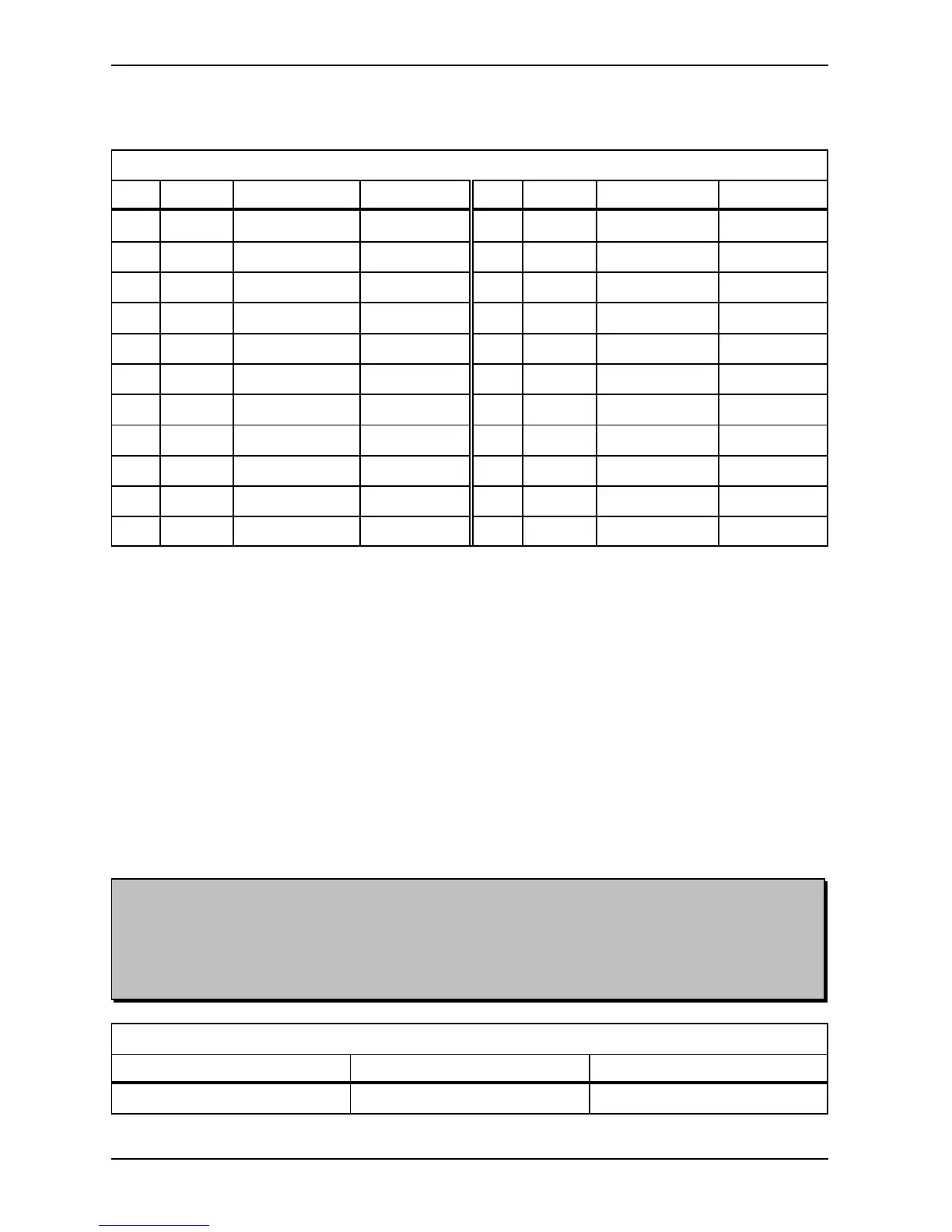
Page Margin
Step mm ASCII HEX Step mm ASCII HEX
0 0 027 084 048 048 1B 54 30 30 11 6.9850 027 084 049 049 1B 54 31 31
1 0.6350 027 084 048 049 1B 54 30 31 12 7.6200 027 084 049 050 1B 54 31 32
2 1.2700 027 084 048 050 1B 54 30 32 13 8.2550 027 084 049 051 1B 54 31 33
3 1.9050 027 084 048 051 1B 54 30 33 14 8.8900 027 084 049 052 1B 54 31 34
4 2.5400 027 084 048 052 1B 54 30 34 15 9.5250 027 084 049 053 1B 54 31 35
5 3.1750 027 084 048 053 1B 54 30 35 16 10.1600 027 084 049 054 1B 54 31 36
6 3.8100 027 084 048 054 1B 54 30 36 17 10.7950 027 084 049 055 1B 54 31 37
7 4.4450 027 084 048 055 1B 54 30 37 18 11.4300 027 084 049 056 1B 54 31 38
8 5.0800 027 084 048 056 1B 54 30 38 19 12.0650 027 084 049 057 1B 54 31 39
9 5.7150 027 084 048 057 1B 54 30 39 20 12.7000 027 084 050 048 1B 54 32 30
10 6.3500 027 084 049 048 1B 54 31 30
The “Page Margin” function will adjust the page margin in steps from 0 to 20. The standard setting is 8,
(8 = normal). The page margin will give different effect when used on single-sided, compared with double-
sided. On double-sided printing, one step is equal to 0.6350 mm, and the text will be centred vertically on
the page. If, e.g. a page margin on 6 steps is selected, the printer will print closer to the edges of the paper,
and if a page margin on 20 steps is selected, it will give a larger page margin. This will affect both top and
bottom margins, i.e. page margin.
On single-sided printing, however, the page margin will actually work as a top margin. (Note! The page
layout must be set to normal). One step is equal to 0.6350 mm. It will “push” the text downwards the
sheet. If the text reaches the bottom, (meaning that there will not be enough space on this page for the last
line), this line will wrap over to the next page.
Default is 8 steps.
Software Reset:
ESC 0 - Soft Reset
Software Reset
ASCII HEX
Software Reset 027 048 1B 30


 To Next Page