1. INSTALLATION
1.1 Requirements of Installation Site
Table:
The Printer should be placed on a sturdy table. Note: this printer weighs 145 Kg.
Space:
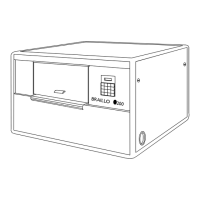
The space requirement for the Braillo 200 is approximately 1.25m x 1.5m (4 x 5 feet).
Distance to the computer:
Serial communication: Up to 25 metres (cable distance) from the computer without special transmission
precautions.
Parallel communication: Up to 7 metres (cable distance) from the computer without special transmission
precautions.
Environment:
Braillo Printers are made to operate continuously and to be reliable for many years. However, sensitive
electronic and mechanical parts require a suitable installation environment to ensure long and trouble-free
operation.
Failure to meet the installation requirements may relieve the supplier of any warranty responsibilities.
The Printer requires normal office environmental conditions: Temperatures between 15 - 30°C (60 - 86°F),
and relative humidity between 40 and 60%.
Maintain a clean environment because dust may clog the Printer - especially with high humidity. Too low
humidity should also be avoided to prevent electrostatic problems.
Some paper qualities may generate excessive paper dust. This should be removed with a vacuum cleaner
and a damp cloth. (About every 50,000 Sheets).
Be sure to consult your distributor/supplier for further details concerning the installation site.
1.2 Unpacking
Unpacking and installation can be done by the user.
After unpacking the Printer, the cover must be removed before lifting the Printer. See chapter 1.3
"Removal of Cover".
Any kind of lifting of the Printer must always be done from the baseboard at the bottom of the printer, and
with extreme care.
Make sure that your Braillo 200 has not been damaged in transport. Check if the packing is damaged; If
so, it is possible that the Printer has also been damaged or scratched. If any damages are found, please
contact your distributor or Braillo Norway AS immediately.


 To Next Page