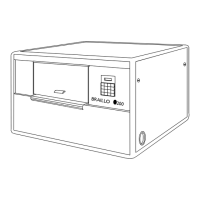
Please read this manual carefully before starting the Printer!
Also check that the Printer is accompanied with the following items:
1 Power cable for the Printer
2 Data cables (serial and parallel)
1 Serial adapter (9-25 pin)
1 A small stack of paper
1 Instruction manual
1 Toolkit for service and maintenance
1 Test and packing list
If any of these items are missing, please contact your distributor or Braillo Norway AS.
Important !
It is very important that the Printer's specified voltage and frequency value corresponds with the local main
power supply available.
If the plug on the mains power cable is to be replaced, note that the yellow/green wire is the ground
(earth) wire.
1.3 Removal of Covers
See figures on the next page.
The side-panel (F) is removed by turning the two screws (V) 1/4 of a revolution - use a coin or a
screwdriver. Pull out the upper edge first, and then lift the side-panel up and out. Place it aside.
Disconnect the cables for the Operating Panel (G) and the Fan (H).
The cover can now be carefully removed by lifting the end with the fans slightly up and over on to the
baseboard. This small forward movement will free the side-panel end of the cover making it possible for
it to be tilted upwards.
The Printer can now be moved to the desired location. Afterwards, replace the cover (in reverse order of
above) and reconnect (G) and (H).
Plug the power cable in connection (L) and the data communication cable in the connection (R) or (S).
The side-panel (F) is mounted by placing the lower edge in first, and then pushing it against the cover.
Make sure that the slot on each screw's head is vertical and that the screws are aligned with the holes, then
just push the screws in until a "click" is heard. Now the side-panel is secured.


 To Next Page