Note! If the Printer has run out of paper, perform step 2 and 3, without resetting the Printer. Press the
TEST PRINT button in and out to restart the printing, and the Printer will continue from the place
where it ran out of paper without losing any text.
2.5 Inserting Paper
Paper should be inserted into the Printer in the following manner:
1. Turn on the main switch, if the printer is not already switched on. (Red power lamp lights
up.)
2. Place a box of paper at the back of the Printer. (Opposite from the operating panel.)
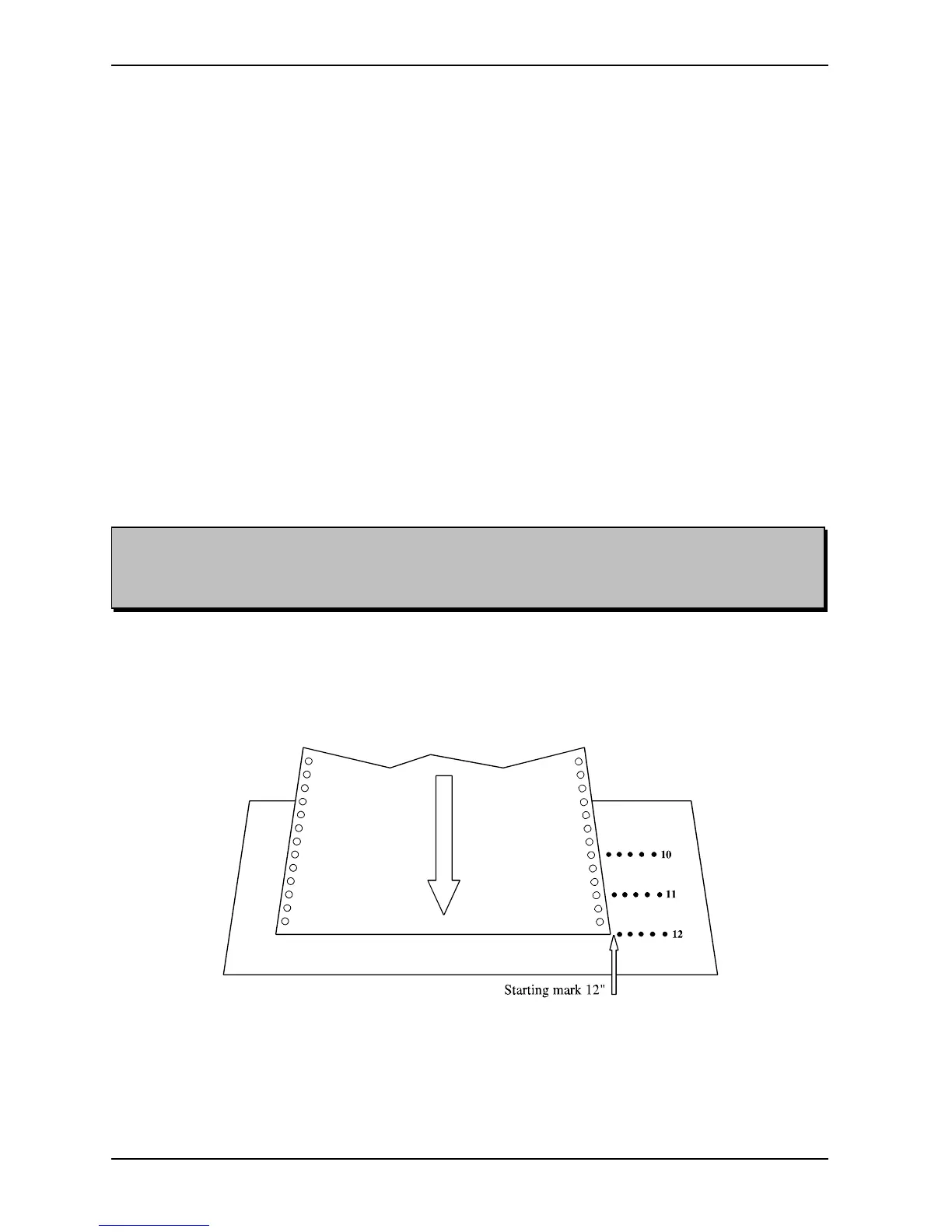
3. Insert the paper between the two knobs, and then through the slit in the paper guide. Insert
about the length of one sheet. Go to the front of the Printer. Lock the paper into the
tractor-feed. By using the FINE ADJUST button, adjust the paper with respect to the
starting mark (notch) corresponding to the chosen sheet length. (See figure below.)
4. Push RESET PRINTER.
5. Push RESET COUNTER, if desired.
6. The Printer is now ready to start printing.


 To Next Page