315SP1Range3 15 SP1 Range
3 14 Sensor Break Alarm3 14 Sensor Break Alarm
SP1L ( SP1 low limit value ) and SP1H ( SP1 high limit value ) in setup menu
are used to confine the adjustment range of SP1.
SP1L ( SP1 low limit value ) and SP1H ( SP1 high limit value ) in setup menu
are
used to confine the adjustment range of SP1.
Example : A freezer is working in its normal temperature range -10 C to -15 C.
In order to avoid an abnormal set point, SP1L and SP1H are set with the
following values:
SP1L = -15 C SP1H = -10 C
Now SP1 can only be adjusted within the range from -10 C to -15 C.
Example : A freezer is working in its normal temperature range -10 C to -15 C.
In
order to avoid an abnormal set point, SP1L and SP1H are set with the
following
values:
SP1L
= -15 C SP1H = -10 C
Now
SP1 can only be adjusted within the range from -10 C to -15 C.
SP1
IN1H ( or sensor range high )IN1H ( or sensor range high )
SP1H
SP1L
IN1L ( or sensor range low )
IN1L ( or sensor range low )
Figure 3.19 SP1 RangeFigure 3.19 SP1 Range
Setup : SP1L, SP1HSetup : SP1L, SP1H
54
UM25001C
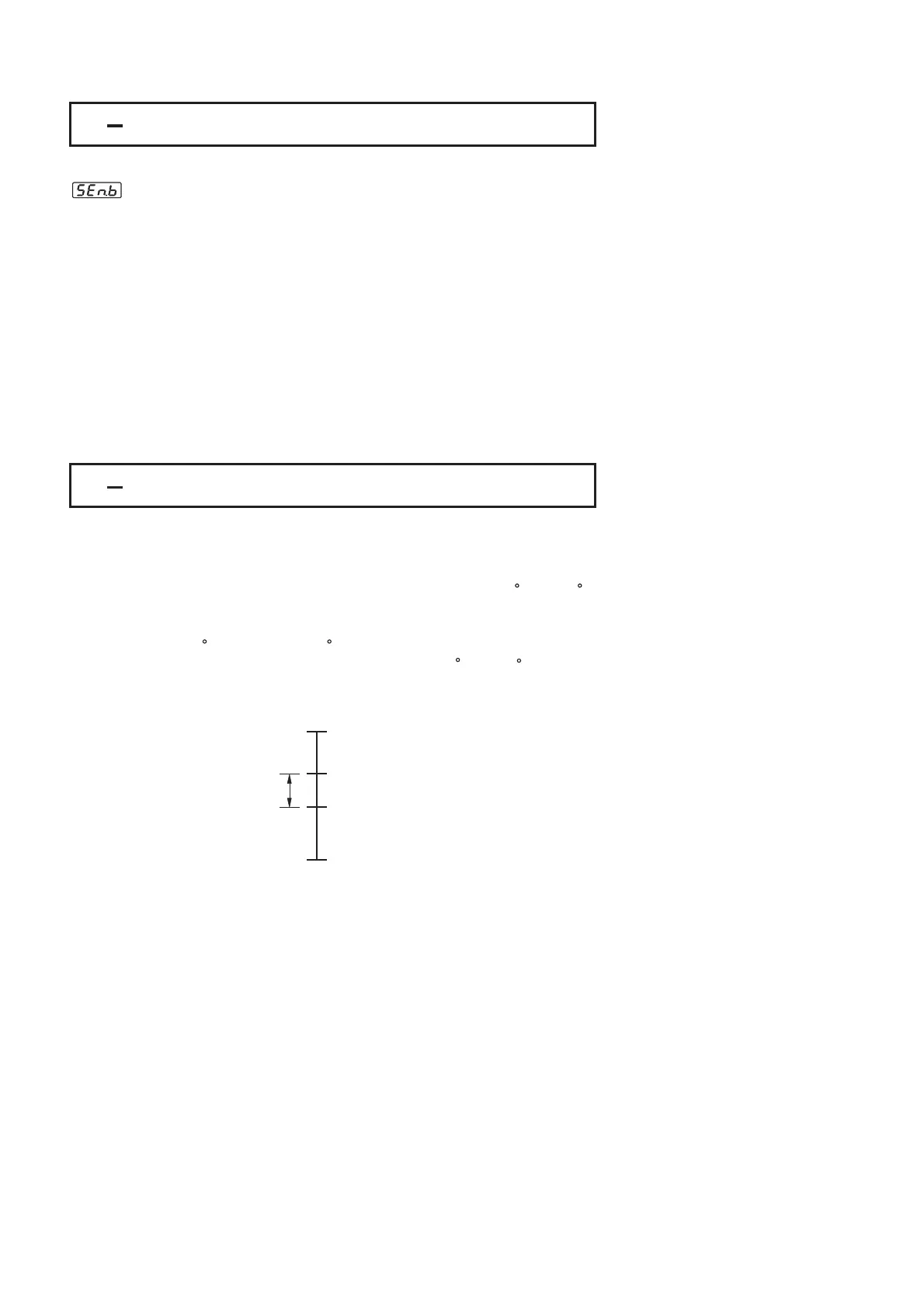
Alarm 1 or alarm 2 can be configured as sensor break alarm by selecting SENB
for A1FN or A2FN. If alarm 2 is required for sensor break alarm, then
OUT2 should be selected with =AL2.
The sensor break alarm is activated as soon as failure mode occurs. Refer to
for failure mode conditions. Note that also creates a
sensor break alarm. TIME,A1SP, A1DV, and A1HY are hidden if alarm 1 is
configured as a sensor break alarm. Similarly, TIME, A2SP, A2DV and A2HY are
hidden if alarm 2 is configured as a sensor break alarm.
One of 4 kinds of alarm modes can be selected for sensor break alarm. These
are: Normal alarm, Latching alarm, Holding alarm and Latching/Holding alarm.
However, the Holding alarm and Latching/Holding alarm are not recommended
to be chosen for sensor break alarm
See
for the descriptions of these alarm modes.
Section 3-17 A-D failure
Section 3-9
since sensor break alarm will not perform
holding function even if it is set with holding or latching/holding mode.
Alarm 1 or alarm 2 can be configured as sensor break alarm by selecting SENB
for
A1FN or A2FN. If alarm 2 is required for sensor break alarm, then
OUT2
should be selected with =AL2.
The
sensor break alarm is activated as soon as failure mode occurs. Refer to
for
failure mode conditions. Note that also creates a
sensor
break alarm. TIME,A1SP, A1DV, and A1HY are hidden if alarm 1 is
configured
as a sensor break alarm. Similarly, TIME, A2SP, A2DV and A2HY are
hidden
if alarm 2 is configured as a sensor break alarm.
One
of 4 kinds of alarm modes can be selected for sensor break alarm. These
are:
Normal alarm, Latching alarm, Holding alarm and Latching/Holding alarm.
However,
the Holding alarm and Latching/Holding alarm are not recommended
to
be chosen for sensor break alarm
See
for
the descriptions of these alarm modes.
Section
3-17 A-D failure
Section
3-9
since
sensor break alarm will not perform
holding
function even if it is set with holding or latching/holding mode.
Sensor Break Alarm 1
Setup:
Hidden:
Sensor Break Alarm 2
Setup:
Hidden:
A1FN=SENB
A1MD=NORM, LTCH
TIME, A1SP, A1DV
A1HY
OUT2= =AL2
A2FN=SENB
A2MD=NORM, LTCH
TIME , A2SP, A2DV
A2HY
Sensor Break Alarm 1
Setup:
Hidden:
Sensor
Break Alarm 2
Setup:
Hidden:
A1FN=SENB
A1MD=NORM,
LTCH
TIME,
A1SP, A1DV
A1HY
OUT2=
=AL2
A2FN=SENB
A2MD=NORM,
LTCH
TIME
, A2SP, A2DV
A2HY


 To Next Page