3 23 Manual Control3 23 Manual Control
The manual control may be used for the following :purposesThe manual control may be used for the following :purposes
( 1 ) To test the process characteristics to obtain a step response as well as an
impulse response and use these data for tuning a controller.
( 1 ) To test the process characteristics to obtain a step response as well as an
impulse
response and use these data for tuning a controller.
(2)
NOTE
To use manual control instead of a close loop control as the sensor fails or
the controller's A-D converter fails. that a bumpless transfer can not
be used for a longer time. See section 3-18.
( 2 )
NOTE
To use manual control instead of a close loop control as the sensor fails or
the
controller's A-D converter fails. that a bumpless transfer can not
be
used for a longer time. See section 3-18.
( 3 ) In certain applications it is desirable to supply a process with a constant
demand.
( 3 ) In certain applications it is desirable to supply a process with a constant
demand.
Operation:
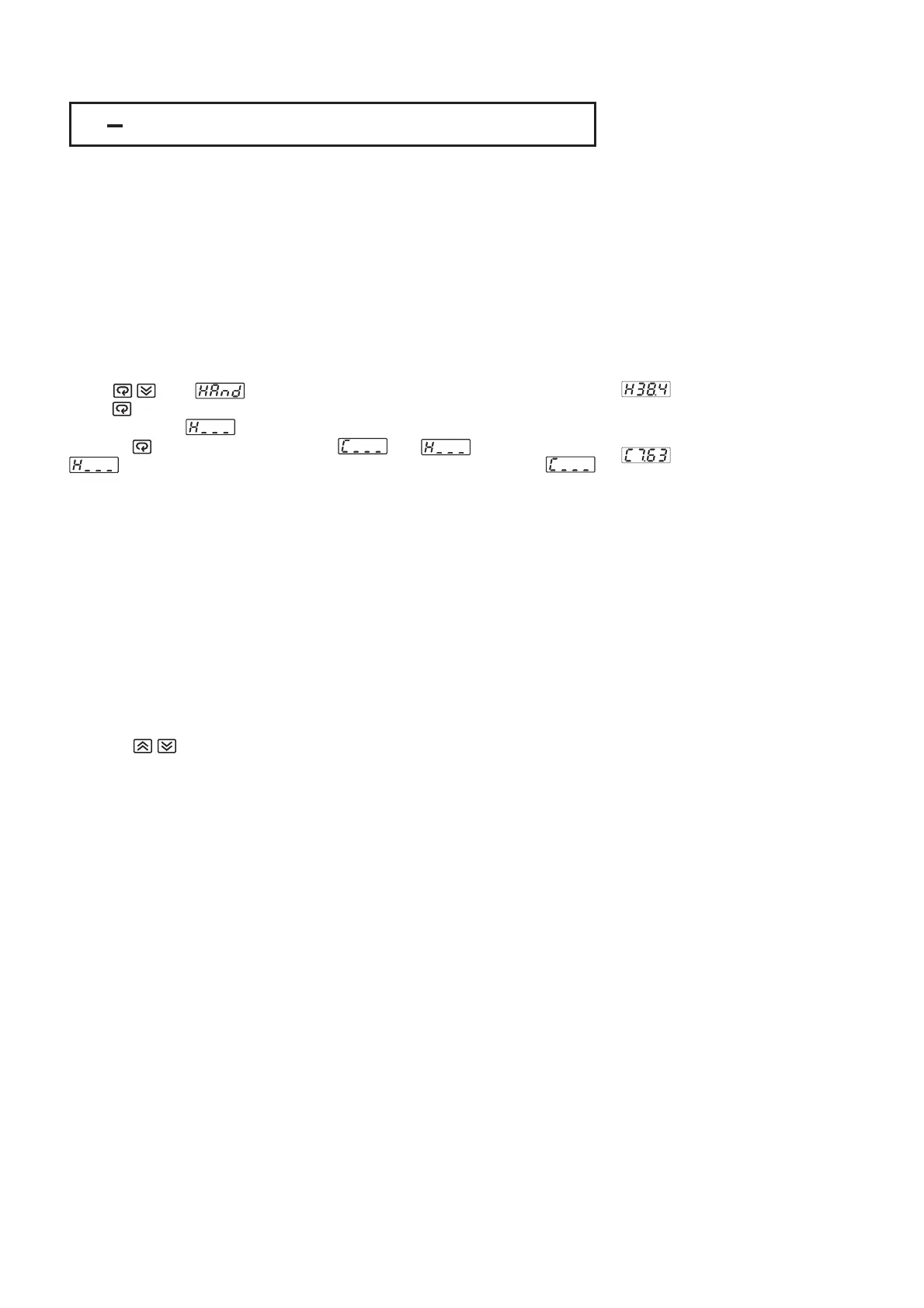
Press until ( Hand Control ) appears on the display.
Press for 3 seconds then the upper display will begin to flash and the lower
display will show . The controller now enters the manual control mode.
Pressing the lower display will show and alternately where
indicatesoutput1(orheating ) control variable value MV1 and
indicatesoutput2(orcooling ) control variable value MV2. Now you can use
up-down key to adjust the percentage values for H or C.
The controller performs open loop control as long as it stays in manual control
mode. The H value is exported to output 1 ( OUT1 ) and C value is exported to
output 2 provided that OUT2 is performing cooling function ( ie. OUT2 selects
COOL ).
Press until ( Hand Control ) appears on the display.
Press
for 3 seconds then the upper display will begin to flash and the lower
display
will show . The controller now enters the manual control mode.
Pressing
the lower display will show and alternately where
indicates
output 1 ( or heating ) control variable value MV1 and
indicates
output 2 ( or cooling ) control variable value MV2. Now you can use
up-down
key to adjust the percentage values for H or C.
The
controller performs open loop control as long as it stays in manual control
mode.
The H value is exported to output 1 ( OUT1 ) and C value is exported to
output
2 provided that OUT2 is performing cooling function ( ie. OUT2 selects
COOL
).
Exception
If OUT1 is configured as ON-OFF control ( ie. PB1=0 if PB1 is assigned or
PB2=0 if PB2 is assigned by event input ), the controller will never perform
manual control mode.
If OUT1 is configured as ON-OFF control ( ie. PB1=0 if PB1 is assigned or
PB2=0
if PB2 is assigned by event input ), the controller will never perform
manual
control mode.
Exit Manual ControlExit Manual Control
To press keys the controller will revert to its previous operating mode
( may be a failure mode or normal control mode ).
To press keys the controller will revert to its previous operating mode
(
may be a failure mode or normal control mode ).
Means
MV1=38.4 %
forOUT1(orHeating)
MV1=38.4 %
for
OUT1 ( or Heating )
Means
MV2=7.63 %
forOUT2(orCooling)
MV2=7.63 %
for
OUT2 ( or Cooling )
UM25001C
65


 To Next Page