- 24 -
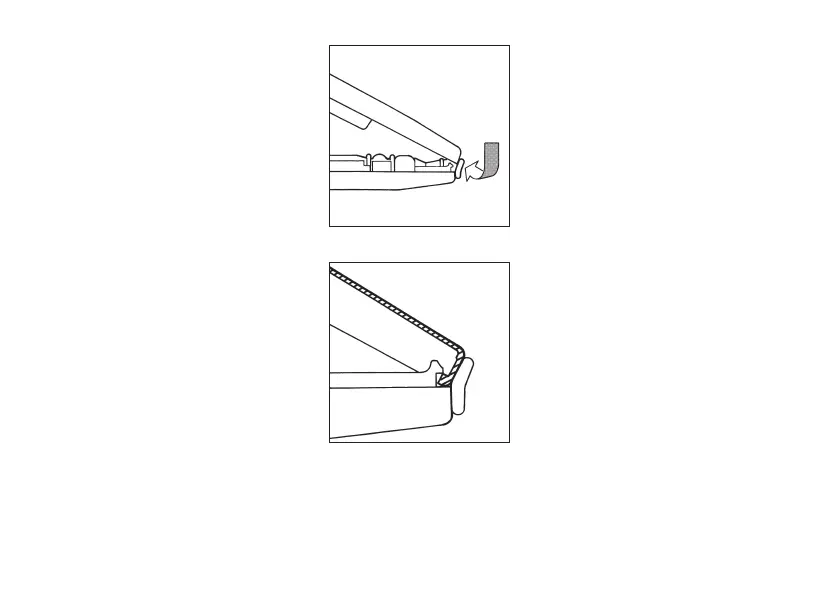
– Oberes Geräteteil hinter dem äuße-
ren Adapter-Wulst ansetzen und in
die Haken des unteren Geräteteils
einhängen.
– Beide Geräteteile langsam und
gleichmäßig zusammendrücken.
– Gerät locker in der Hand halten und
kurz auf die Abwurftaste drücken.
– Clip aufschieben und einrasten
lassen.
– Funktionsfähigkeit aller Bedien-
elemente überprüfen.
– Place the front part of the instru-
ment behind the outer bulge of the
adapter, and attach it to the hooks of
the back part of the instrument.
– Press both parts of the instrument
slowly and uniformly together.
– Hold the instrument loosely, and
shortly press down the ejector key.
– Slide on the clip, and make it snap
in.
– Check that all operating elements
work properly.


 To Next Page