Model 621 User’s Manual LASER INPUT – VIS AND NIR VERSIONS
Bristol Instruments, Inc. 12
Use care in handling fiber-optic connectors. Always clean the fiber end prior to insertion
into the instrument’s fiber-optic connector for optimum performance. Failure to do so can
result in damage to the instrument. To prolong instrument service life, it is advantageous
to attach a new fiber-optic patchcord to the instrument and use its other end for the
connect/disconnect procedure.
Maximum safe input is 10 mW of optical power. Laser input power in excess of 10 mW
can result in damage to the instrument.
If the laser under test has a free space beam, it must be launched into a fiber-optic
patchcord for entry into the 621 Laser Wavelength Meter. The LC-1 Fiber-Optic Input
Coupler offered by Bristol Instruments is a convenient method of doing this.
1 Install the LC-1 coupler in any two-axis (Θ-Φ) adjustable optical mount that can
accommodate a 1 inch (25.4 mm) diameter optic. Optical mounts with X–Y
translational adjustment may be convenient in some laboratory configurations.
2 Center the laser beam on the 2.5 mm input aperture of the LC-1 coupler. Using the
angular adjustments of the optical mount, adjust the face of the beam coupler to be
orthogonal to the laser beam.
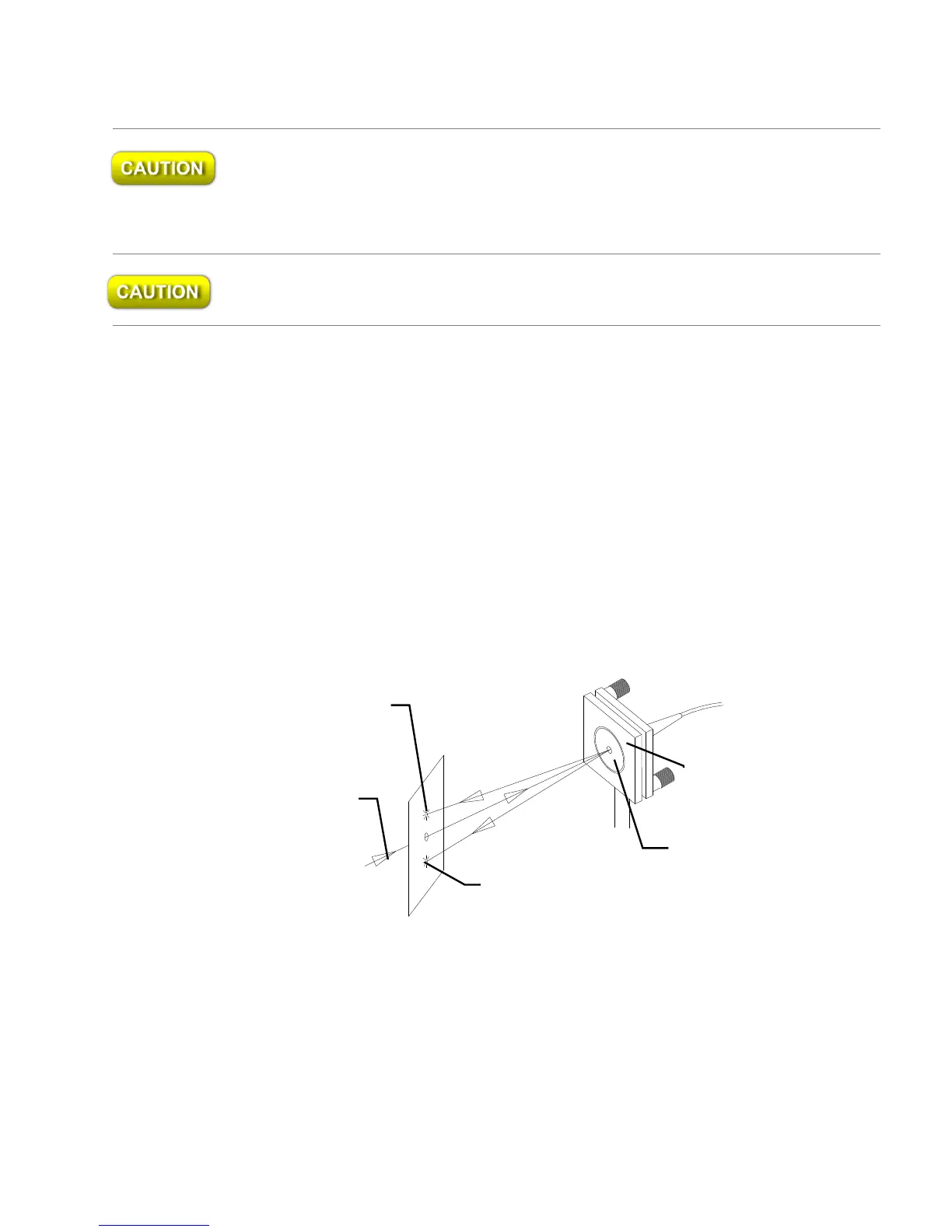
3 Two back reflections from the LC-1 coupler should be visible near the laser’s output
aperture. They can also be seen by placing a white card (with a hole in the center) in
the beam path as shown in Figure 3.3. Adjust the optical mount until the reflections
symmetrically straddle the input beam.
Figure 3.3: Aligning the LC-1 Fiber-Optic Input Coupler
4 Maximize throughput, using visual or power meter detection, by making minor
angular adjustments with the Θ-Φ optical mount.
Theta - Phi
Optical Mount



 To Next Page