Model 621 User’s Manual APPENDIX C – CODE UPDATES
Bristol Instruments, Inc. 34
APPENDIX C – CODE UPDATES
General Information
Updating the 621 Laser Wavelength Meter uses a utility called Bristol621Update.bat. It can be
found on the NuView Software CD, in the folder Update Utility.
You can contact Bristol Instruments to see if there are any updates available for this product.
Prior to doing this, please get your current version information by selecting the Help – About…
menu item in the software. Note this requires the instrument to be turned on and connected to
the PC.
Process
1) Connect the PC to the 621 system using the provided USB cable and turn the instrument
on.
2) Copy the utility Bristol621Update.bat to a folder on your PC.
3) Copy the update files to the same folder as Bristol621Update.bat. Any 1, 2 or all 3 can be
updated at once:
a. bristol_621
b. Bristol157_top.bin
c. Bristol621DSP.out
4) At a command prompt, run the utility Bristol621Update.
As code is being transferred it will indicate that by one or more of the following messages
showing on the display:
Transferred FW code...
Transferred SoftwareA code...
Transferred SoftwareD code...
Completed.
If no files available to transfer then the following message will display:
No Files to Update!
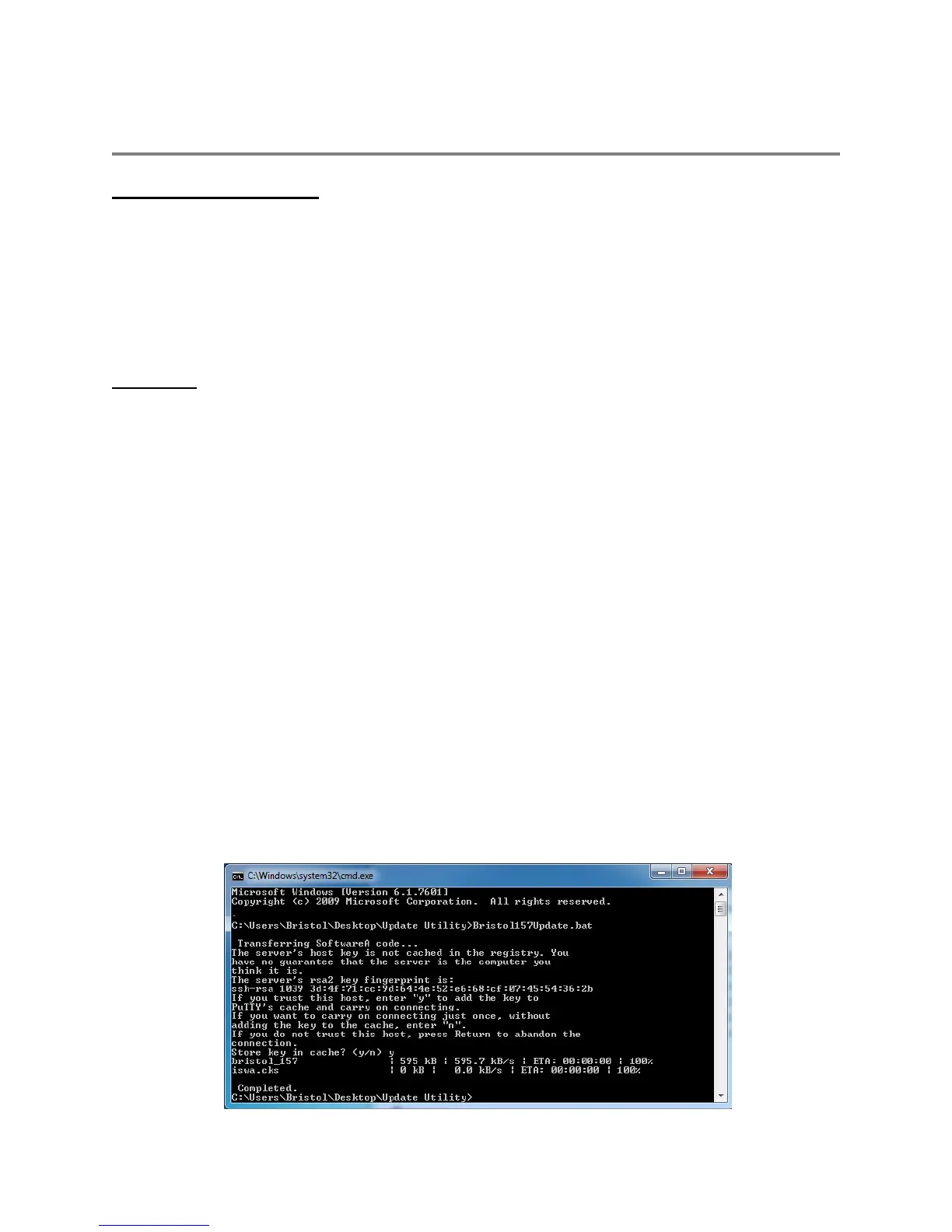
The following figure shows an example of a successful code update. You may be asked to
“Store key in cache? (y/n).” If so, enter “y”.



 To Next Page