Model 621 User’s Manual LASER INPUT – VIS AND NIR VERSIONS
Bristol Instruments, Inc. 11
1 Ensure that all fiber-optic connectors are clean and dry. The 621 system is shipped
with a fiber cleaning kit consisting of a package of connector cleaning sticks, clean
wipes, and fiber-optic splice & connector cleaner spray. See Appendix E for cleaning
instructions.
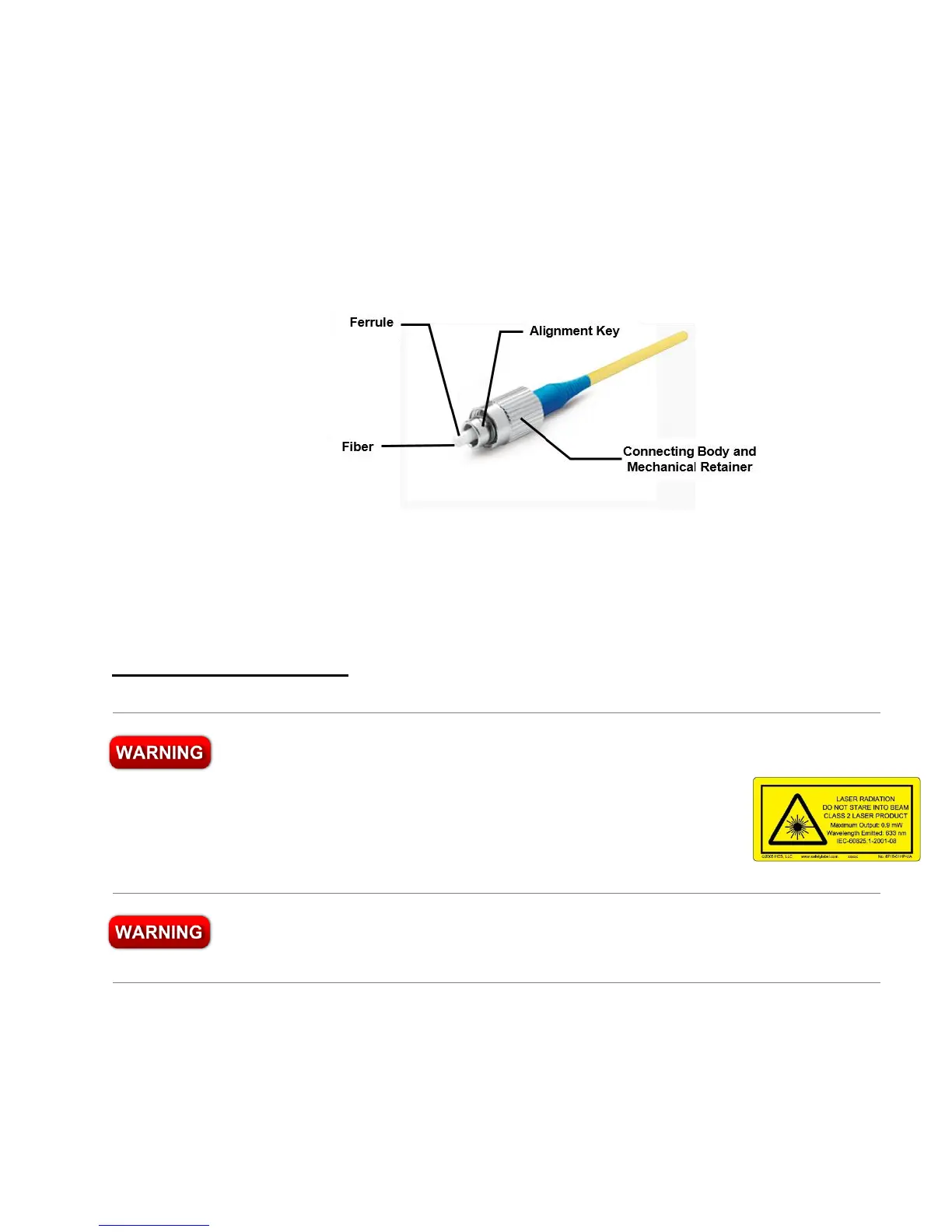
2 Connect your fiber-optic patchcord to the pre-aligned FC/PC fiber-optic connector on
the instrument’s front panel. Make certain that the alignment key on the fiber-optic
patchcord’s connector (Figure 3.2) is properly seated in the slot of the input
connector.
Figure 3.2: Basic Components of an FC/PC Fiber-Optic Connector
3 Tighten the mechanical retainer with a light to medium finger-tightness. Exceeding
this torque may result in a poor connection or may damage the connector.
Free-Beam Laser Input
This instrument is a Class 2 Laser Product. It contains a laser that emits radiation
that can seriously damage your eyesight. Less than 15 W of this laser light is
emitted from the fiber-optic connector of the VIS and NIR versions,
and less than 50 W of this laser light is emitted from the aperture of
the IR and MIR versions. Do not stare into this beam or view it
directly with an optical instrument. The Class 2 warning label, shown
here, is located next to the fiber-optic input coupler (VIS and NIR) or
the input aperture (IR and MIR) on the front panel of the model 621.
Never inspect or clean a fiber-optic cable without first disconnecting the entire
cable assembly from the optical source. Failure to take this precaution can
permanently damage your eyesight.



 To Next Page