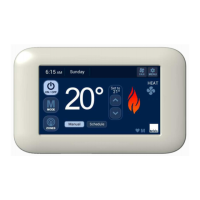
Setting Sensor Identification on an NC-6 when
used as a Slave (refer Table 4. example)
• Determine which NC-6 Controller will be the Master and
which one will be the Slave
• Mount the proposed NC-6 Slave onto the backing plate of
the NC-6 that has power supplied directly from the heater
control board
• Change the NC-6 Slave identification number to “3” by
accessing Installer Parameters (see 6.3, p.14)
• Fit the NC-6 Slave to its designated zone backing plate only
after the unit ID has been changed
• Mount the Master Controller onto its backing plate – this will
not require a unit ID change
• Once an NC-6 has been designated a ‘Slave’, Installer
Parameters will no longer be accessible from this NC-6.
The Master Controller must then be used to access the
installer parameters
6.2.2 ZonePlus with all NC-6 Controllers
All NC-6 controllers that are used in place of NT-1 sensors
must have their sensor ID altered so that it operates as a slave.
Important Notes:
• Only the NC-6 Controller backing plates should be wired
and installed
Power up the system in the following sequence:
• 516 Network Module (if applicable)
• N-PM1 Power Module (if applicable)
• Heater
• Cooling System (if applicable)
Table 5: 4-Zone System Using All NC-6 Controllers
(example)
Zone ID
Sensor
Type
Function
Unit ID
Factory
Setting
Unit ID
System
Setting
Zone A NC-6 Master “n01” “n01”
Zone B NC-6 Slave “n01” “n02”
Zone C NC-6 Slave “n01” “n03”
Zone D NC-6 Slave “n01” “n04”
Always set and record all parameters in the Appendix.
Setting Sensor Identification on an NC-6 when
all are used as Slaves (refer Table 5. example)
• Determine which NC-6 Controller will be the Master and
which ones will be Slaves
• Mount one of the proposed NC-6 Slaves onto the backing
plate of the NC-6 that has power supplied directly from the
heater control board
• Change the NC-6 ID number to “2” by accessing Installer
Parameters (see 6.3, p.14)
• Repeat for the remaining two Slaves and set unit ID to “3”
and “4” respectively
• Fit the NC-6 Slaves to their designated zone backing plates
only after all unit ID have been changed
• Mount the Master Controller onto its backing plate – this will
not require a unit ID change
• Once an NC-6 has been designated a ‘Slave’, Installer
Parameters will no longer be accessible from this NC-6.
The Master Controller must then be used to access the
installer parameters


 To Next Page