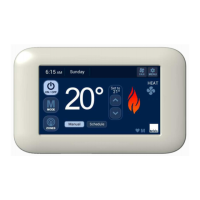
6.4.6 Fan Scaling - HEATING
• The procedure for either Single Temperature Set Point
(STSP) or Multi Temperature Set Point (MTSP) systems is
the same.
• Ensure all balancing dampers for all outlets are fully open
• Change “n01 ID:105” default setting from “0” to “1” to enable
Fan Scaling
• Set the fan speed (1 – 16) for each zone
• “n01 ID:106” = Common Zone (STSP systems only*)
• “n01 ID:107” = Zone A
• “n01 ID:108” = Zone B
• “n01 ID:109” = Zone C
• “n01 ID:110” = Zone D
• Once “n01 ID:xxx” appears, the fan will automatically start
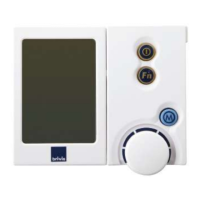
• Rotate the dial on the NC-6 to set the initial desired airflow for
the zone
• To ensure that each supply outlet within the zone receives its
correct proportion of the total airflow for that zone, check each
outlet and balance accordingly – note that this may require
refinement of the initial zone fan speed setting
• Adjust the intital fan speed setting for the zone if required
• Set all remaining zone Heating fan speeds in similar fashion
• Press ON/OFF to exit
* For MTSP sytems, the Common Zone Fan Scaling set up will
not be available, see 6.4.1, p.14
Record all system configuration and parameter settings in
the Appendix.
6.4.7 Fan Scaling - Refrigerated COOLING
• The procedure for either STSP or MTSP systems is the same.
• Ensure all balancing dampers for all outlets are fully open
• Any single zone, or single zone with Common Zone must be
capable of handling at least 75% of the maximum nominal
Cooling airflow
• Change “n01 ID:111” default setting from “0” to “1” to enable
Fan Scaling
• Set the fan speed (1 – 16) for each zone
• “n01 ID:112” = Common Zone (STSP systems only*)
• “n01 ID:113” = Zone A
• “n01 ID:114” = Zone B
• “n01 ID:115” = Zone C
• “n01 ID:116” = Zone D
• Once “n01 ID:xxx” appears, the fan will automatically start
• Rotate the dial on the NC-6 to set the initial desired airflow for
the zone
• To ensure that each supply outlet within the zone receives its
correct proportion of the total airflow for that zone, check each
outlet and balance accordingly – note that this may require
refinement of the initial zone fan speed setting
• Adjust the intital fan speed setting for the zone if required
• Set all remaining zone Cooling fan speeds in similar fashion
• Press On/Off to exit
* For MTSP sytems, the Common Zone Fan Scaling set up will
not be available, see 6.4.1, p.14
Record all system configuration and parameter settings in
the Appendix.


 To Next Page