112
Scanner B
1
For the latest driver updates for the version of OS X you are using, visit us at http://support.brother.com.
2
Maximum 1200 × 1200 dpi scanning with the WIA driver in Windows
®
XP, Windows Vista
®
, Windows
®
7 and
Windows
®
8 (resolution up to 19200 × 19200 dpi can be chosen by using the scanner utility)
Printer B
1
The print speed may vary depending on the type of document you print.
2
From Ready mode and standard tray
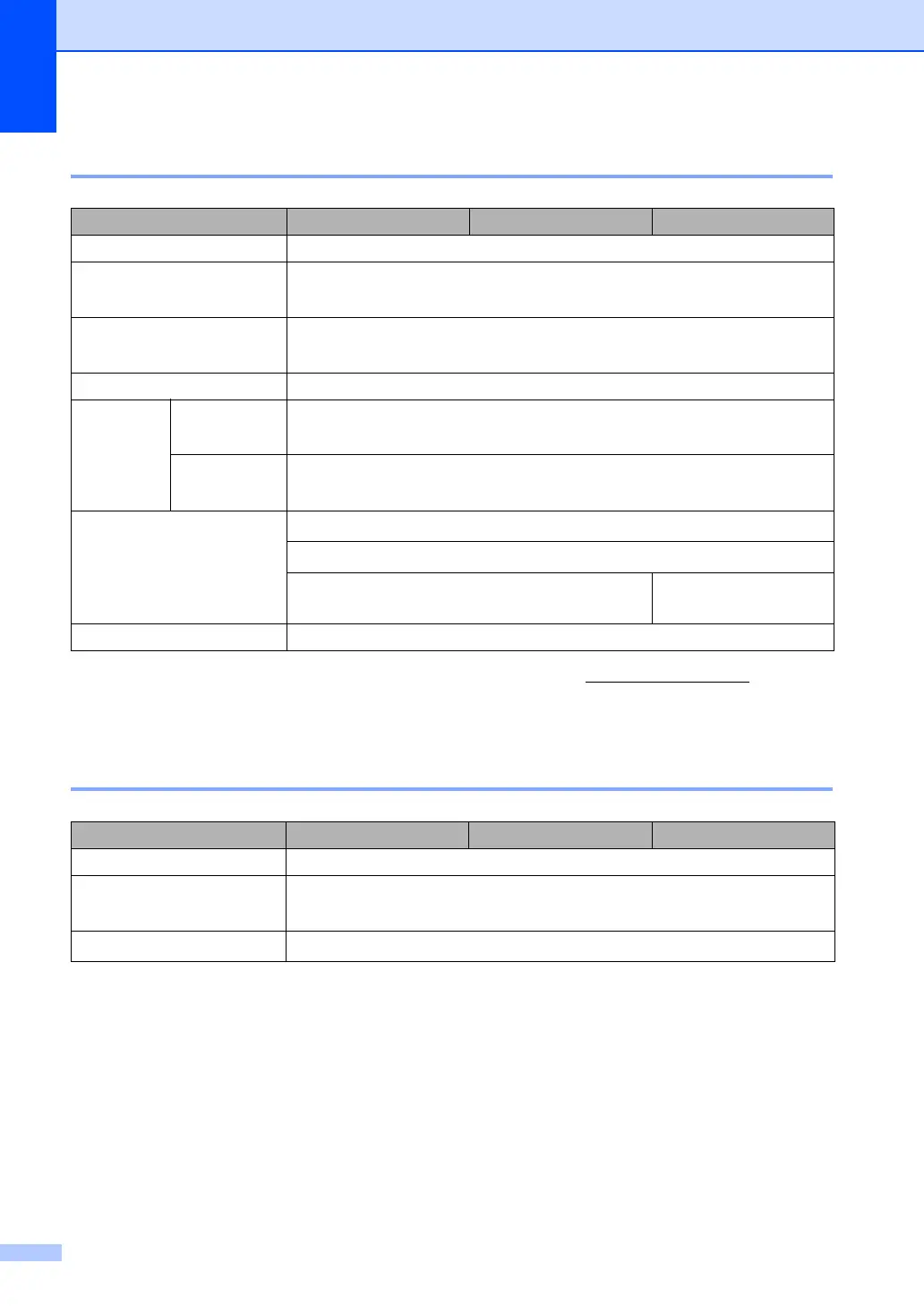
Model DCP-1610W(E) DCP-1612W MFC-1910W(E)
Colour Yes
TWAIN Compliant
Yes (Windows
®
XP/ Windows Vista
®
/ Windows
®
7 / Windows
®
8 /
Windows
®
8.1 / OS X v10.7.5, 10.8.x, 10.9.x
1
)
WIA Compliant
Yes (Windows
®
XP / Windows Vista
®
/ Windows
®
7 / Windows
®
8 /
Windows
®
8.1)
ICA Compliant Yes (OS X v10.7.5, 10.8.x, 10.9.x)
Colour
Depth
Colour 24 bit colour processing (Input)
24 bit colour processing (Output)
Greyscale 8 bit colour processing (Input)
8 bit colour processing (Output)
Resolution
Up to 19,200 × 19,200 dpi (interpolated)
2
Up to 600 × 1200 dpi (optical)
2
(from Scanner Glass)
— Up to 600 × 600 dpi
(optical)
2
(from ADF)
Scanning Width Max. 210 mm
Model DCP-1610W(E) DCP-1612W MFC-1910W(E)
Resolution Up to 2400 × 600 dpi (HQ1200 technology)
Print Speed
1
Up to 20 pages/minute (A4 size)
Up to 21 pages/minute (LTR size)
First Print Out Time
2
Less than 10 seconds at 23 °C / 230 V



 To Next Page
 Loading...