6-16 Confidential
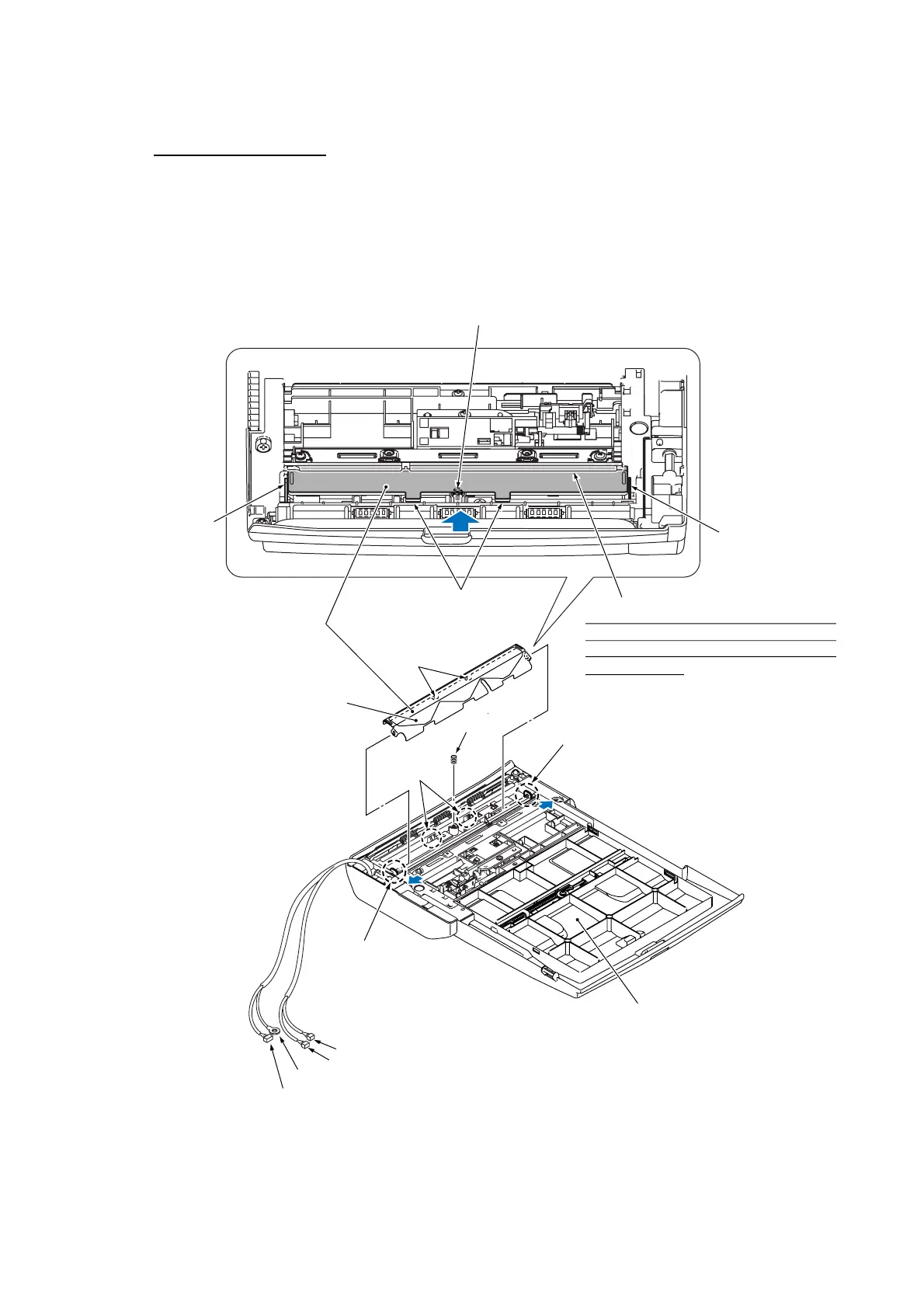
Document pressure bar
(6) Place the ADF & document cover ASSY upside down.
(7) Press the lock arms on the ADF unit outwards, push the document pressure bar once to release
the two tabs from the square openings, and pull it out. The spring also comes off.
NOTE: When handling the document pressure bar, take care not to stain or scratch the white
reference film on the bar.
(6_15)
ADF motor harness
Grounding wire
Document rear sensor harness
Document front sensor harness
Spring
Lock arm
Tabs
Document pressure bar
Tabs
White reference film
Square
openings
Lock arm
(Rear)
ADF & document cover ASSY
Lock arm
Spring
Lock arm
When mounting the document pressure bar,
press the lock arms outwards, fully insert
this end and then fit the two tabs into the
square openings.



 To Next Page