6-43 Confidential
Carriage PCB ASSY (carriage PCB with head flat cables)
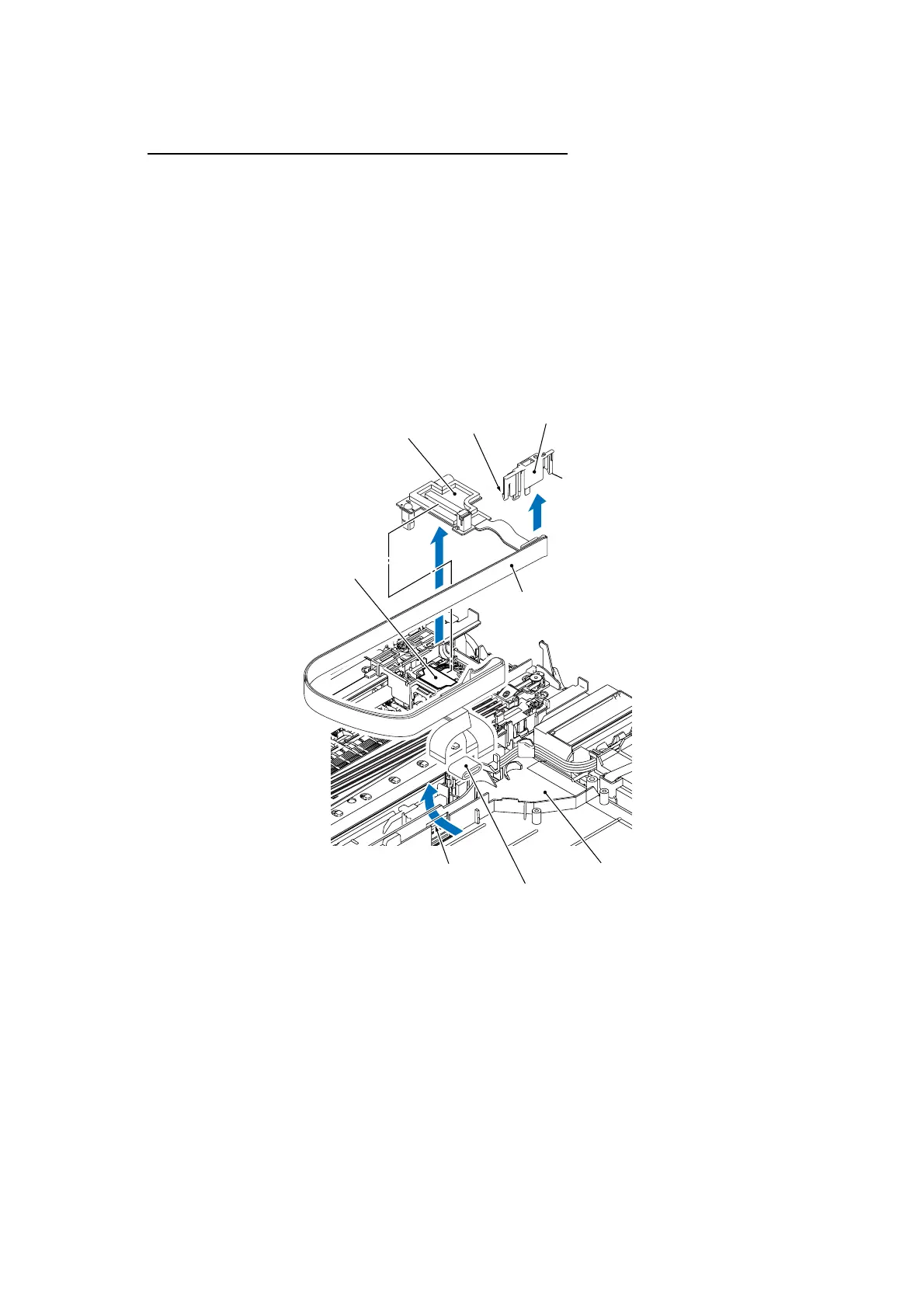
(10) Unlock the connector on the carriage PCB and disconnect the carriage-head flat cable.
(11) Release the head flat cables out of the cable guides and pull them out (together with the flat
core) to the rear through the opening provided in the lower cover as shown below.
NOTE: When replacing the carriage PCB ASSY, remove the flat core from the old head flat
cables and set it to the new ones.
(12) Unlatch the FFC support, which holds the three head flat cables, from the head/carriage unit.
(13) Lift up the carriage PCB ASSY.
(14) Remove the FFC support from the head flat cables.
(6_43)
FFC support
Latch
Latch
Carriage PCB
Carriage-head flat cable
Lower cover
Head flat cables
Flat core
Opening



 To Next Page