EasyManua.ls Logo

Brother MFC-210C - User Manual

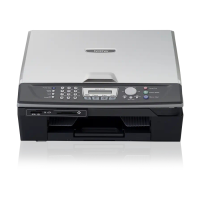
Brother MFC-210C
200 pages
Print Icon
To Next Page IconTo Next Page
Loading...
MFC-210C
MFC-410CN
USER’S GUIDE
Version A

Table of Contents

Other manuals for Brother MFC-210C

Questions and Answers

  • S
    Sara AliSep 8, 2025
    Why does my Brother All in One Printer display 'Disconnected'?
    • D
      dwestSep 8, 2025
      The 'Disconnected' message on your Brother All in One Printer means the other person or the other person’s fax machine stopped the call. Try to send or receive again.
  • W
    wholtSep 10, 2025
    What does 'Media Error' mean on my Brother All in One Printer and how to resolve it?
    • A
      andrewchavezSep 10, 2025
      A 'Media Error' on your Brother All in One Printer indicates that the media card is either corrupted, improperly formatted, or there is a problem with the media card. Re-insert the card firmly into the slot to make sure it is in the correct position. If the error remains, check the media drive by inserting another media card that you know is working.
  • Y
    ykrauseSep 12, 2025
    Why does my Brother All in One Printer say 'No File'?
    • C
      Christopher MurphySep 12, 2025
      The 'No File' message on your Brother All in One Printer means the media card in the media drive does not contain a .JPG file. Reinsert the correct media card.
  • R
    Ronald HunterSep 13, 2025
    What does 'High Temperature' mean on my Brother All in One Printer?
    • S
      steveroseSep 13, 2025
      The 'High Temperature' message on your Brother All in One Printer means the print head is too warm. Allow the MFC to cool down.
  • S
    Stephanie PearsonSep 15, 2025
    What does 'Low Temperature' mean on my Brother All in One Printer?
    • S
      Sean WallaceSep 15, 2025
      The 'Low Temperature' message on your Brother All in One Printer means the print head is too cold. Allow the MFC to warm up.
  • J
    Joshua HortonSep 18, 2025
    What does 'Not Registered' mean on my Brother All in One Printer?
    • B
      brittany56Sep 18, 2025
      The 'Not Registered' message on your Brother All in One Printer means you tried to access a Speed Dial number that is not programmed. Set up the Speed Dial number. See Storing Speed-Dial numbers on page 5-1.

Summary

Safety Precautions

To Use the MFC Safely

Instructions for safe operation and handling of the MFC.

Important Safety Instructions

Critical safety instructions for product usage, handling, and environment.

Quick Reference Guide

Dialling Operations

Making Copies

Instructions on how to use the MFC to make copies of documents.

Setup Send

How to Enter Fax Mode and Dial

Steps to activate fax mode and initiate dialling for sending faxes.

Basic Sending Operations

Essential procedures for sending faxes, including contrast adjustments.

Setup Receive

Choosing the Receive Mode

Selecting the appropriate mode for receiving faxes and telephone calls.

Making Copies

Introduction

Getting Started

Initial Setup Procedures

Essential initial configuration steps, including date, time, and dialling mode.

Troubleshooting and Routine Maintenance

Error Messages and Causes

Identification and resolution of common error messages displayed by the MFC.

Appendix B

Brother MFC-210C Specifications

General IconGeneral
Maximum print size210 x 297 mm
Maximum ISO A-series paper sizeA4
Maximum resolution1200 x 6000 DPI
Print speed (black, normal quality, A4/US Letter)20 ppm
Print speed (color, normal quality, A4/US Letter)15 ppm
FaxingNo
Modem speed14.4 Kbit/s
Copy speed (black, normal quality, A4)17 cpm
Copy speed (color, normal quality, A4)11 cpm
Scan speed4 sec/page
Dimensions (WxDxH)373 x 453 x 135 mm
Color all-in-one functionscopy, print, scan
Grayscale levels256
Optical scanning resolution600 x 2400 DPI
Number of print cartridges4
Operating temperature (T-T)5 - 35 °C
Operating relative humidity (H-H)20 - 80 %
Total input capacity100 sheets
Total output capacity25 sheets
Market positioningHome & office

Related product manuals