Making copies
39
7
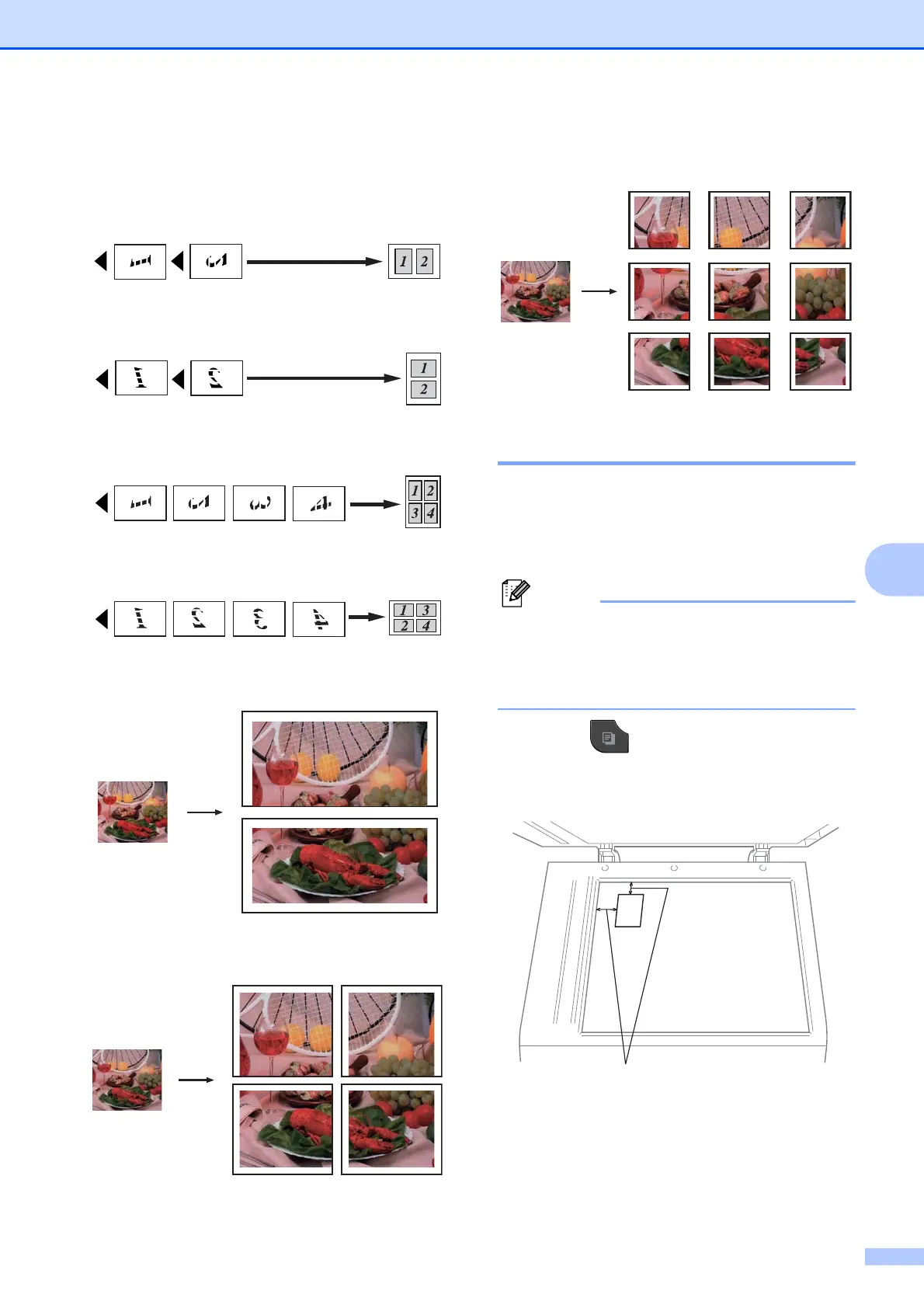
Place the document face down in the
direction shown below:
2in1(P)
2in1(L)
4in1(P)
4in1(L)
Poster(2x1)
Poster(2x2)
Poster(3x3)
2 in 1 ID Copy 7
You can copy both sides of your identification
card onto one page, keeping the original card
size. Make sure the paper size is set to Letter
or A4.
You can copy an identification card to the
extent permitted under applicable laws.
(uuProduct Safety Guide: Legal
limitations for copying)
a Press (COPY).
b Place your identification card face down
at the left corner of the scanner glass.
1 0.12 in. (3 mm) or greater (top, left)
c Enter the number of copies you want.
d Press d or c to display Page Layout.
1


 To Next Page
 Loading...