11 - 7 TROUBLESHOOTING AND ROUTINE MAINTENANCE
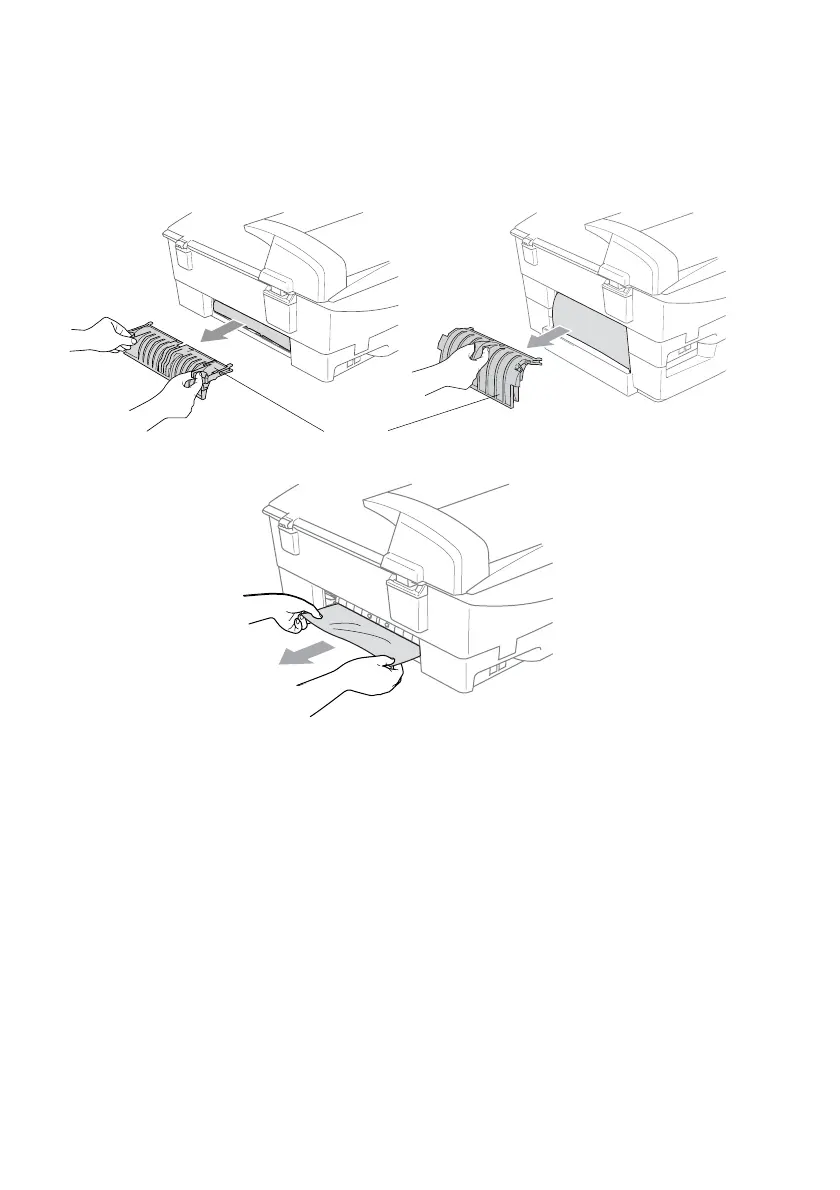
Paper is jammed inside the MFC
1
Remove the Jam Clear Cover. Pull the jammed paper out of the
MFC.
2
Re-insert the Jam Clear Cover.
3
If you can not pull out the jammed paper, lift the scanner cover
from the right-hand side of the MFC until it locks securely into
the open position.
Jam Clear Cover
(For MFC-5440CN) (For MFC-5840CN)



 To Next Page
 Loading...