INTRODUCTION 1 - 9
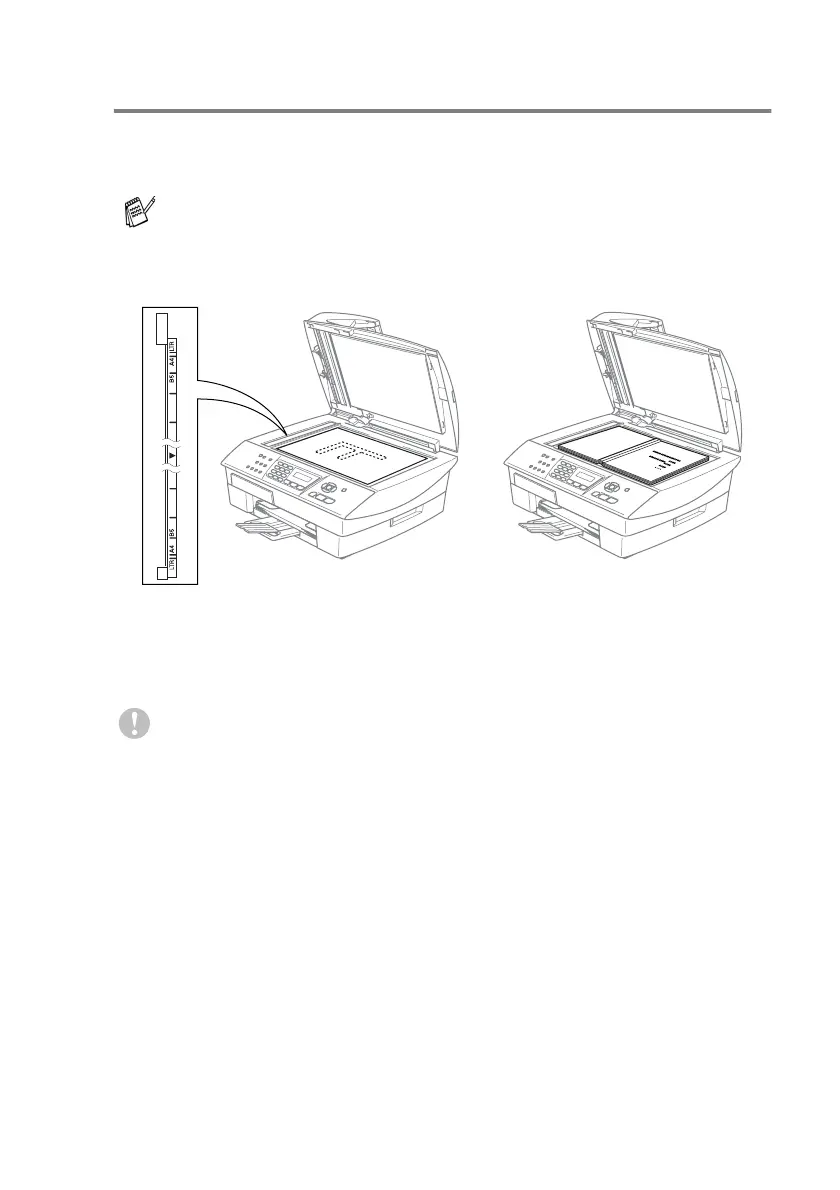
Using the scanner glass
You can use the scanner glass to fax pages of a book or one page
at a time. Document
s
can be up to
A4
size (21.6 to 29.7 cm).
1
Lift the document cover.
2
Using the document guidelines on the left, center the document
face down on the scanner glass.
3
Close the document cover.
To use the scanner glass, the ADF must be empty.
If the document is a book or is thick, do not slam the cover or
press on it.
Place documents face down
on the scanner glass



 To Next Page
 Loading...