33
• On the Evolution Connex Control, select Schedules from the Menu
screen, then select the Upload Schedule option.
• If the folder and file have been placed correctly on the USB C, you
will be asked if you wish to upload the schedule.
– Select Yes.
– When successful, press Next.
7. Vacation
Forgot to enter your vacation schedule until you got to the airport? No
Problem! The most convenient way to program your control is using the
My Evolution Connex mobile app. See the WIRELESS section for more
details on connecting your product to the Internet.
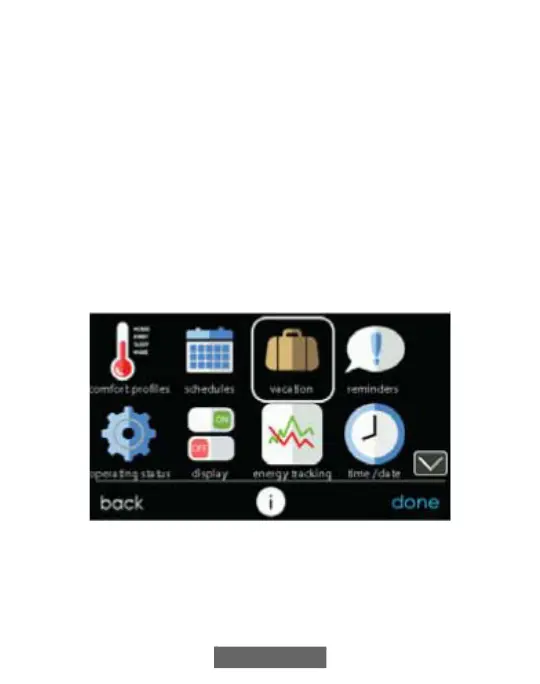
Touch the VACATION icon in order to set a prolonged vacation
schedule.
A12174
• Touch PLAN VACATION to begin your vacation schedule.
• The system automatically selects to start vacation at the current time.
• Use the Up (Y) and Down B) buttons to set the time and date of
when your vacation begins; then touch NEXT. The Control won’t












 To Next Page