36
Fan Only. When you are finished looking at the operating status, press
the DONE button to return to the previous menu.
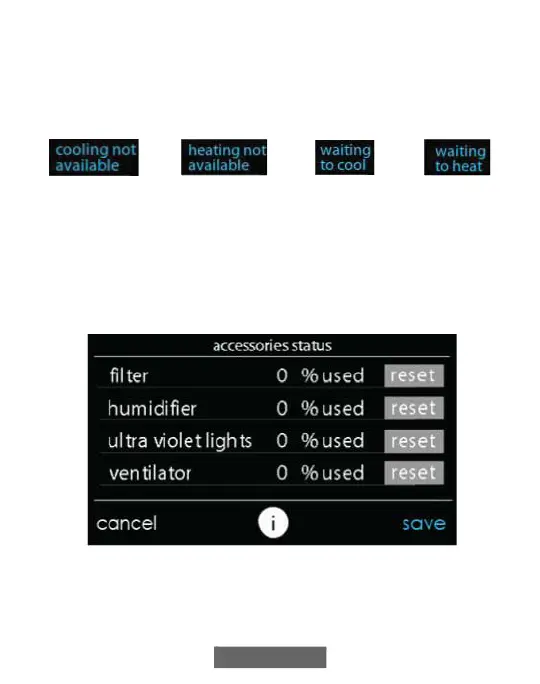
When simultaneous heat/cool demand is enabled, this screen will display
an information message at this location. This includes the following
messages:
A160190
9.2. Accessories Status
Within the accessory status, you can view how much of each accessory
has been consumed, and reset the counter for each accessory.
• To reset the counter for your installed accessory, touch the RESET
button, then press SAVE.
• To return to the previous menu, press CANCEL.
A12108












 To Next Page