34
allow you to select a vacation start date/time earlier than the current
date/time.
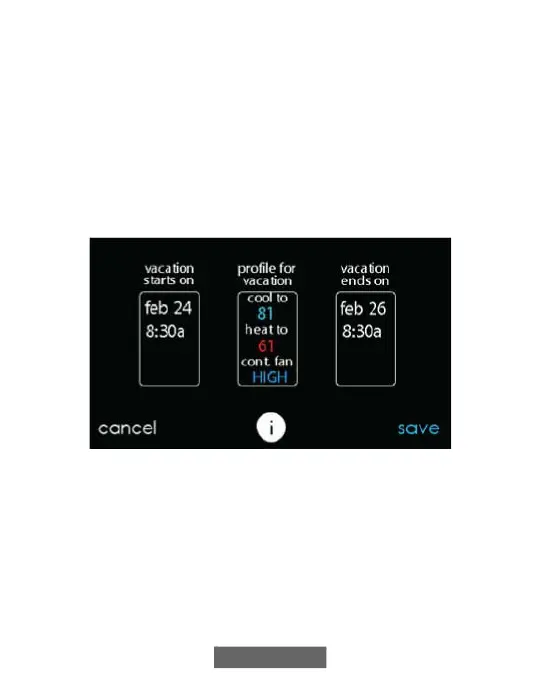
• Use the Up (Y) and Down (B) buttons set the fan speed and the
temperature range you wish to keep your house; then touch NEXT.
• Use the Up (Y) and Down (B) buttons to set the time and date of
when plan to return from your vacation; then touch NEXT. The
system won’t allow you to select a vacation end time that would result
in a vacation duration of less than one day.
• Review your vacation schedule to make sure it is accurate. If it is
correct, touch SAVE to complete your vacation schedule.
A12110
8. Reminders
NOTE: When you connect your system to the Internet and register on the
My Evolution website, you can receive alerts and reminders via email.
See the WIRELESS section for more information.
With the Evolution Connex Control, there are accessory messages to
remind you when it is time for maintenance. Select the REMINDERS
icon from the menu screen.












 To Next Page