5
1. Introduction
CONGRATULATIONS! Your decision to choose the Evolution™
Connex™ Control puts you in a select group of homeowners who
understand the value of precise comfort control and appreciate the
simplicity of an easy-to-use, intuitive, Control.
Your new Evolution Connex Control offers high quality comfort
technology. Please take a few moments to carefully read through this
manual. Next set up a comfort profile and schedule that makes sense for
your lifestyle; then relax and enjoy the new comfort of your home!
2. Home Screen
2.1. Information Displayed
NOTE: When you connect your system to the Internet and register on the
My Evolution website, you can access nearly all of the consumer features
on the Bryant® Home mobile app. See the WIRELESS section for more
information.
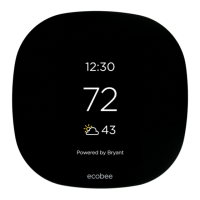
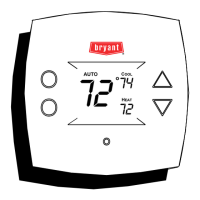
The information displayed on the Home Screen will appear when there
has been no interaction with the Evolution Connex Control for at least
two minutes. The basic information displayed on the Home Screen
consists of the current date and time, the room temperature (zone
temperature if applicable), the outdoor temperature (if available, contact
your installing dealer for details), occupancy sensing status and current
weather condition. (Wi-Fi® models only, when properly configured).
Connectivity status to the home Wi-Fi network and the MyEvolution
Server will also be displayed on the Home Screen. Note: You must have
Wi-Fi enabled for the indicator to appear.
If you have uploaded a photo to the Control (see page 54), it will be
displayed until you touch the display. You will then be taken to the Home
Screen.












 To Next Page