43
• Touch VIEW ENERGY USAGE to view the estimated energy
consumption in daily, monthly or annual time intervals. You can view
energy consumption in units (kWh for electric and selected unit for
gas heat), or in dollars.
• If a gas furnace is installed, you can SELECT FUEL TYPE (natural
gas or propane), and also SELECT FUEL DISPLAY UNITS.
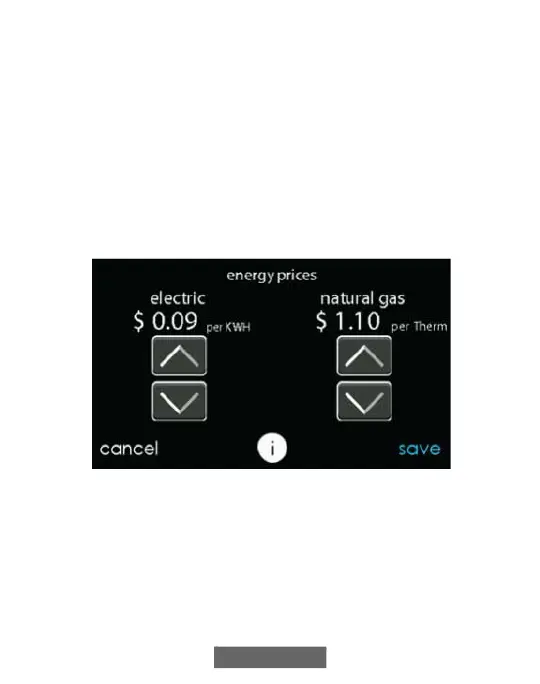
• Touch ENTER ENERGY PRICES to enter the current electric and
gas utility rates.
– Use the Up (Y) and Down (B) buttons to set the costs per kWh
and cost per Therm or your selected unit.
– Once the correct pricing is entered, press SAVE.
A12113
12. Time / Date
The TIME/DATE icon allows you to set the time and date for the
Evolution Connex Control.












 To Next Page