When browsing through the menus, an arrow is displayed on the left hand side which indicates the
selected line.
When there is more than one line to select, the buttons enable you to move the arrow up or down
to select the required option. The OK button confirms selection.
When a value has to be adjusted, for example the time or level of chlorine, the buttons enable you
to increase or decrease the value. Press the OK button to confirm the value.
4.1.2- Main screen
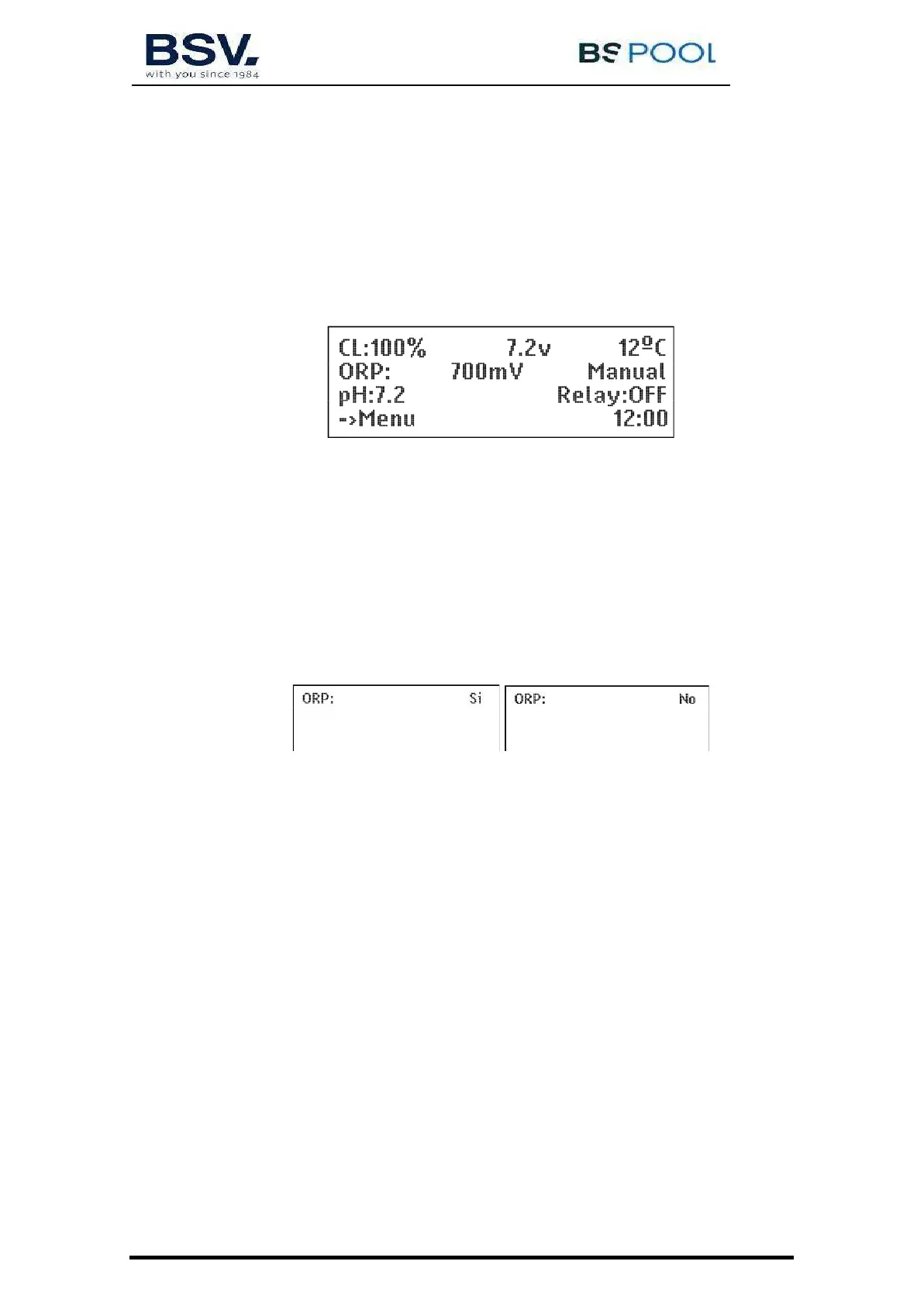
On starting up the equipment, a screen will be displayed with the main parameters.
The upper line displays the production %, the voltage of the electrolysis cell and the water temperature
consecutively. (If you do not have a temperature probe, --- º will appear).
The second line displays the oxidation /reduction potential called RedOx or ORP (Oxidation Reduction
Potential) or ppm if working with a free chlorine probe. "Man.", "Auto" or "Semi-auto" is displayed on the
right.
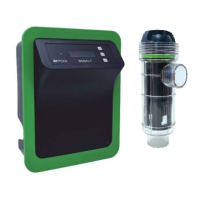
Important: If you do not have a RedOx probe or a free chlorine probe, the ORP reading displayed may
be a random value. When selecting the Manual mode (this mode is required if it is to operate without a
probe), the equipment will ask if you want to display the ORP line or to conceal it.
The third line displays the pH reading as long as it is fitted in the equipment (PRO model) and the relay
status.
The fourth line displays the Menu (press the OK button to access the menu) and the time on the
clock. If any alarm or warning occurs, it will also be displayed on this line.


 To Next Page