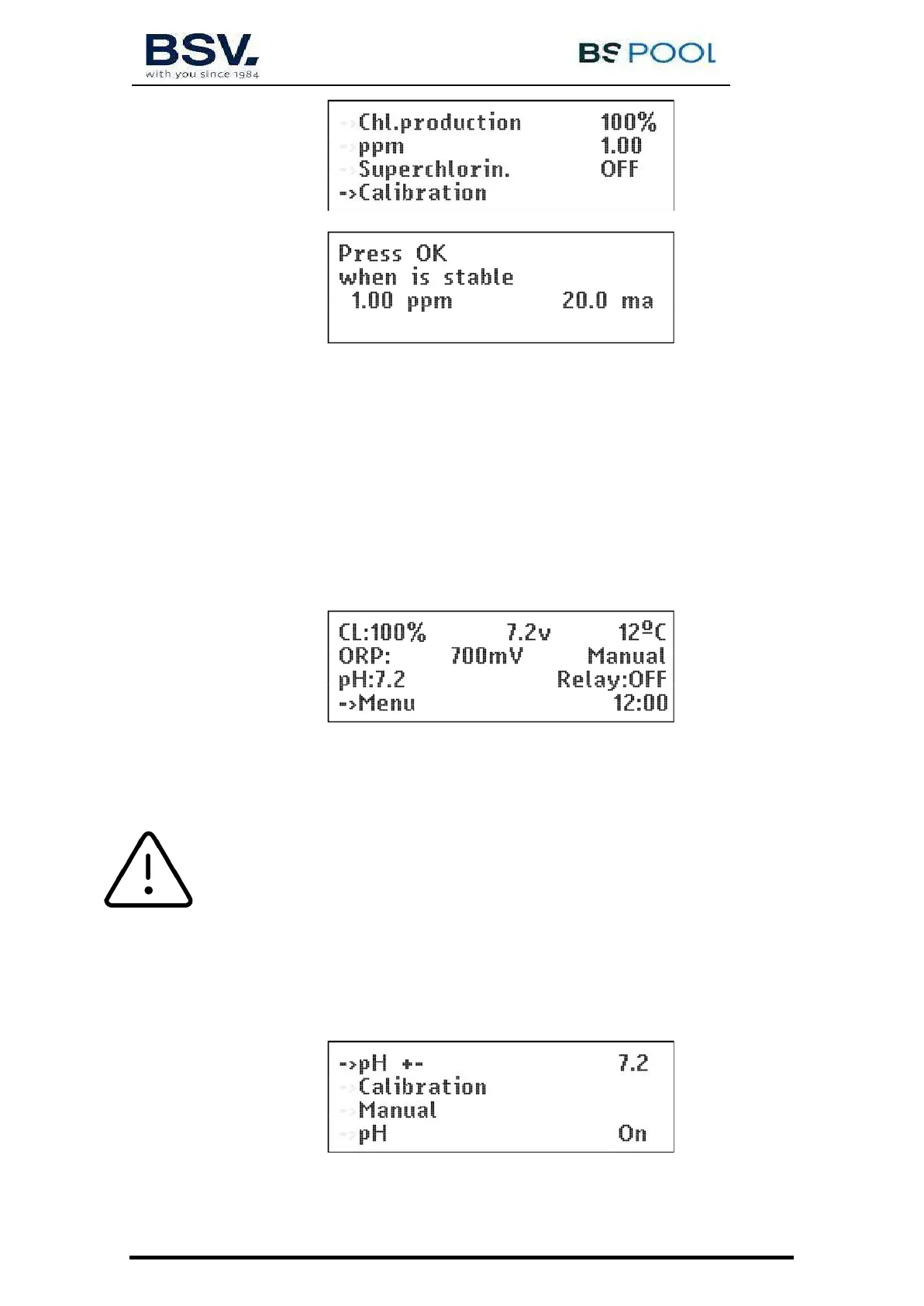
Once the reading has stabilized and the chlorine measurement has been taken with DPD1,
adjust the PPM value provided by the DPD1 measurement.
4.1.6- pH menu
With this menu, you can adjust the parameters related to the pH adjustment of your swimming pool. It
only appears in PRO series equipment.
4.1.6.1- Main screen
The reading of the pH probe can be seen in the 3rd line of the main screen.
pH adjustment does not start up until 5 minutes after the equipment has been switched on.
A proportional control automatically adjusts the pH without the need for controller adjustments. The
pump will start up every minute and with a variable operation time of between 0 and 60 seconds.
ATTENTION: It is required to do a pH probe calibration during the equipment
installation. New calibration should be done on changing or cleaning the probe.
4.1.6.2- Access to the pH Menu
You can access the pH menu from the main menu by pressing OK


 To Next Page