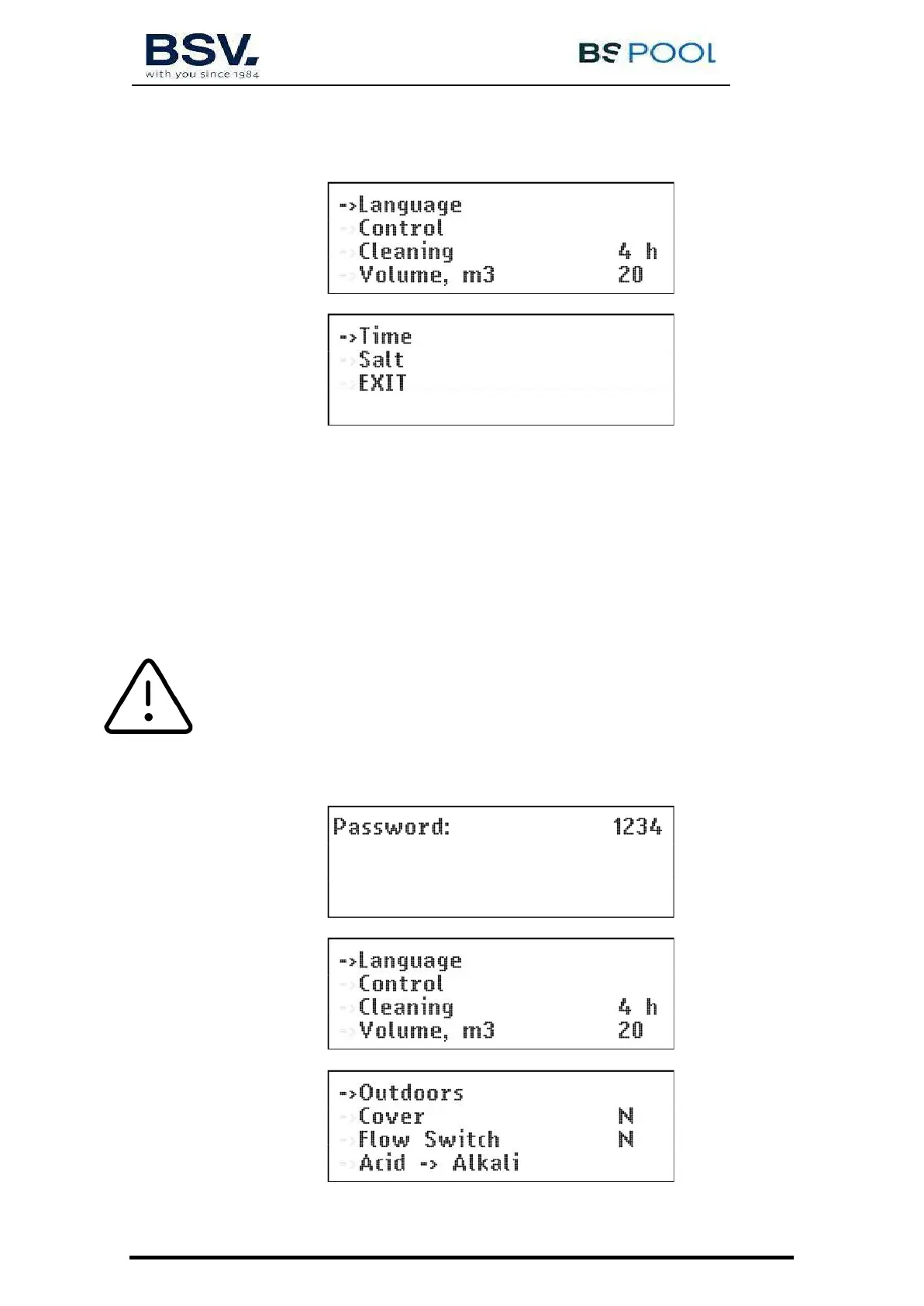
4.1.3- Main menu
Press the "OK" button from the main screen to access the main menu.
Using the buttons you can select a line of the menu, indicated by the arrow (). The OK button is
used to confirm the selection.
To access the configuration menu, you need to confirm the operation by selecting (S) through the
arrow, and pressing OK.
4.1.4- Configuration
In the configuration menu you can select the configuration parameters, which usually only have to be
adjusted when installing the equipment.
ATTENTION: A password will be required when trying to change some options of
this menu, to avoid an involuntary change of some parameter that could affect to the right
behavior of the unit.


 To Next Page