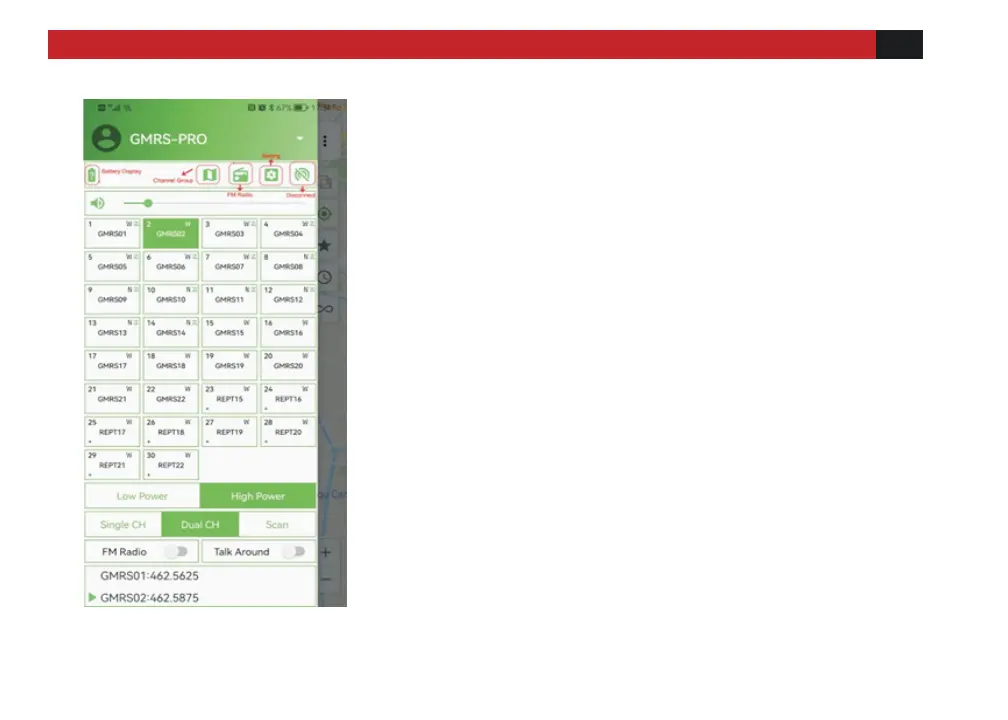
[Select Channel]: click the desired
channel square to switch to the channel,
and the radio will emit a "beep" tone.
[Low /High Power]: Refers to the output
power of the current channel.
[Single CH]: Refers to monitoring the
frequency of a single channel.
[Dual CH]: Refers to monitoring the
frequency of two channels.
[Scan]: Radio will begin scanning
channels programmed in the scan list.
Click Single CH or Dual Ch to turn off
scanning.
[FM Radio]: Click to turn on or off the FM
radio
[Talk Around]: Turning on sets the TX
and RX frequency as the same frequency
(no offset on TX).



 To Next Page