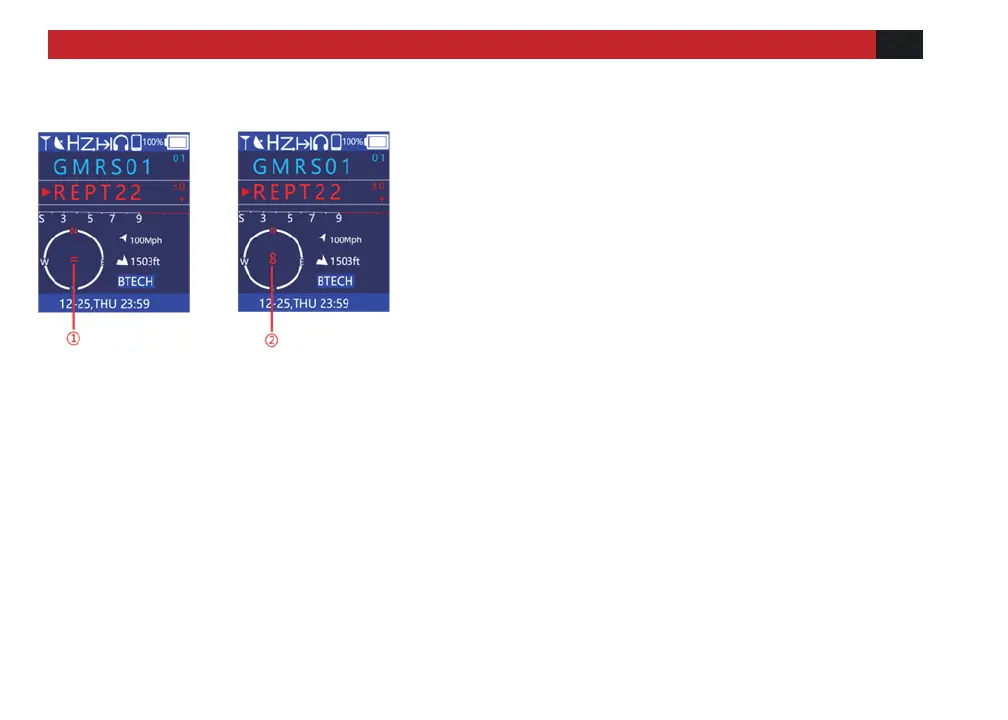
① Sensor prompt icon.
The "=" icon in the middle of the electronic compass
means that it is disturbed by the external environment.
You need to enter the [Compass] menu and perform
correction operations according to the on-screen
instructions. At this time, after entering the [Compass]
menu, the screen will prompt "Please place the device
on a level surface (screen facing up), and then press the
[OK] button in the upper left corner of the keyboard.
② Sensor prompt icon. The "8" icon in the middle of
the electronic compass indicates that it is disturbed by
the external environment. You need to enter the
[Compass] menu and perform correction operations
according to the screen prompts. At this time, after
entering the [Compass] menu, the screen will prompt
"Please calibrate the sensor according to the figure 8
rotating device". At this time, please hold the device and
extend it forward, and draw the figure eight (i.e., "8")
quickly and forcefully. It is better to complete one to
eight characters in about 2 seconds.



 To Next Page