VISIT BAOFENGTECH.COM AND MIKLOR.COM FOR DOWNLOADS AND HELP
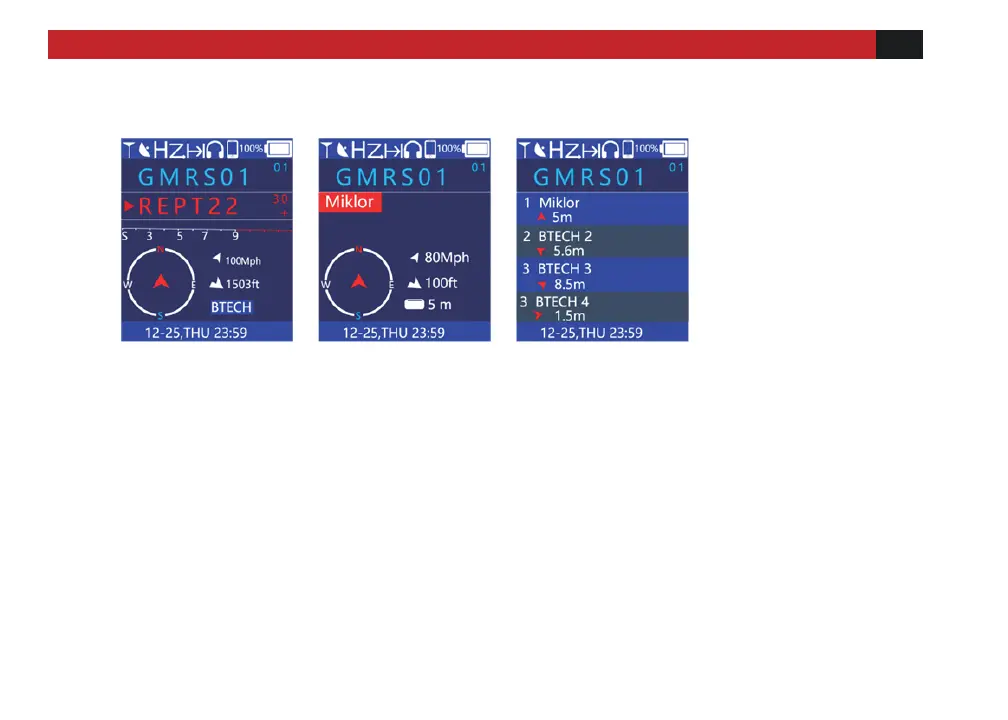
Split Screen Display
① ② ③
① User's name or call sign is displayed when Dual Watch is off.
② Display the last contact information received.
Such as the name or call sign of the other party plus location information and direction.
③ Display a list of recently received contact information.
Press the key to select the list of information to be viewed. Press the [Enter] key to view the
detailed location information direction of the other party when communicating.
Note: In the standby mode, please press the [Back] key on the upper right corner of the keyboard
to switch back and forth between the above three screens.



 To Next Page