15
BTU VENTILATION CORPORATION ● OFFICE 888-884-8070 ● FAX 218-346-7485 ●
www.btucorp.com
XT-70 Control Panel 15
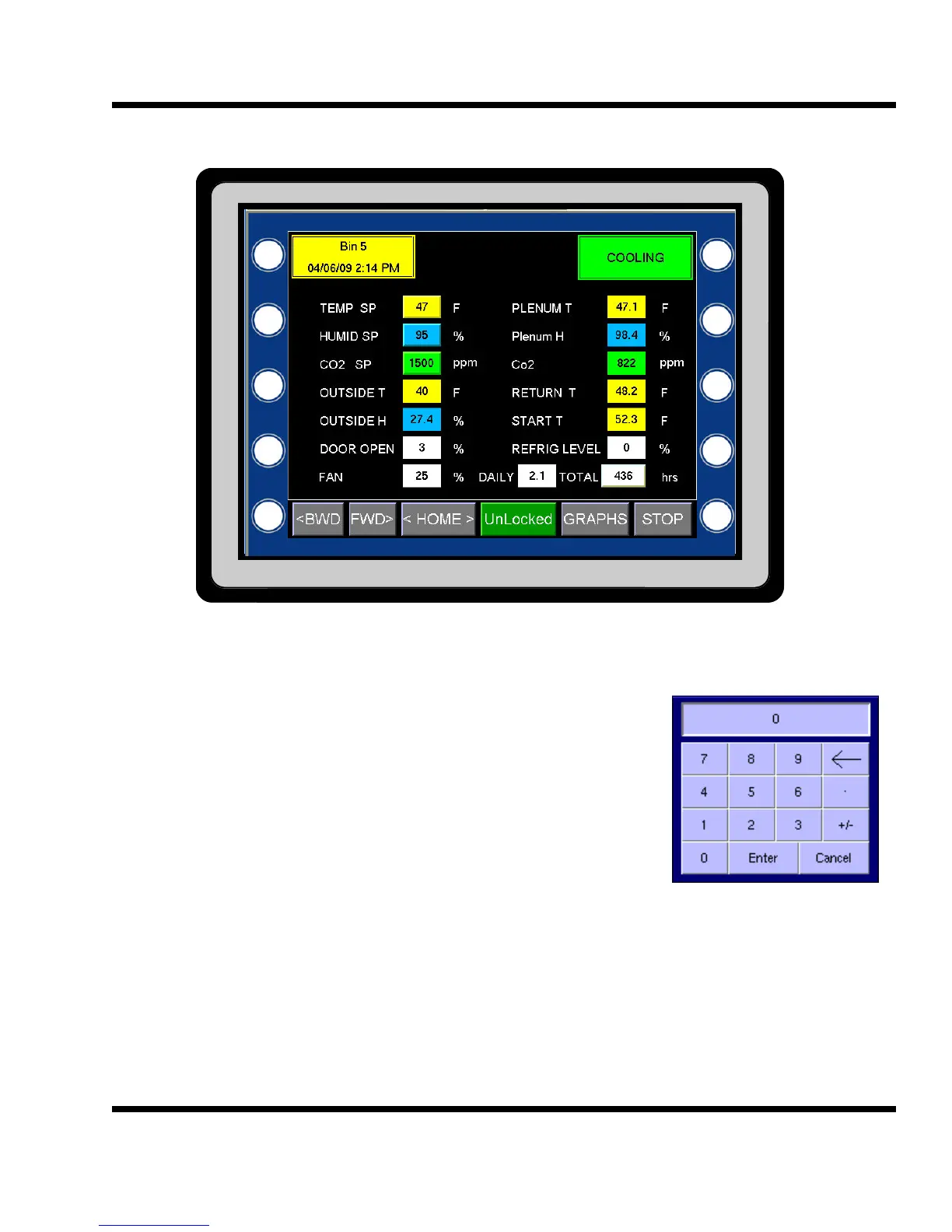
HMI Status Screen:
TEMP SP: Plenum temperature setpoint. To change the setpoint, press the yellow button A pop-up key-
board will be displayed. Type in the desired setpoint with or without a decimal place. Only one
decimal place can be entered. Press Enter to send the new
value or press Cancel to go back to the main screen. The
range of the setpoint is 33.0 to 80.0 degrees F. A value outside
this range will cause a Parameter Fail alarm.
HUMID SP: Plenum Humidity Setpoint. The humidity setpoint has a range
from 0 to 100 %. To change the setpoint, press the blue but-
ton. A pop-up keyboard will be displayed. Type in the desired
value. The value can be a number with zero or one decimal
places.
CO
2
SP: CO
2
Setpoint. This is the upper limit for the CO
2
level in the storage. The best location for the
CO
2
sensor is in the return air of the storage. The CO
2
Setpoint has a range of 0 to 10000 ppm.
To change the CO
2
setpoint, press the green button. A pop-up keyboard will be displayed. The
value is a whole number only.
OUTSIDE T: This is the outside air temperature in degrees F.
OUTSIDE H: This is the outside humidity.
DOOR OPEN: This displays the amount of fresh air that is being brought into the storage. It is a value from 0
to 100 percent. This is a important value and will be active in the Refrig/CO2 mode.
5.2
Note - to make any change to a system parameter, the Unlocked button must be green. See 5.3
on how to lock and unlock the system.



 To Next Page