BTU VENTILATION CORPORATION ● OFFICE 888-884-8070 ● FAX 218-346-7485 ●
www.btucorp.com
XT-70 Control Panel 38
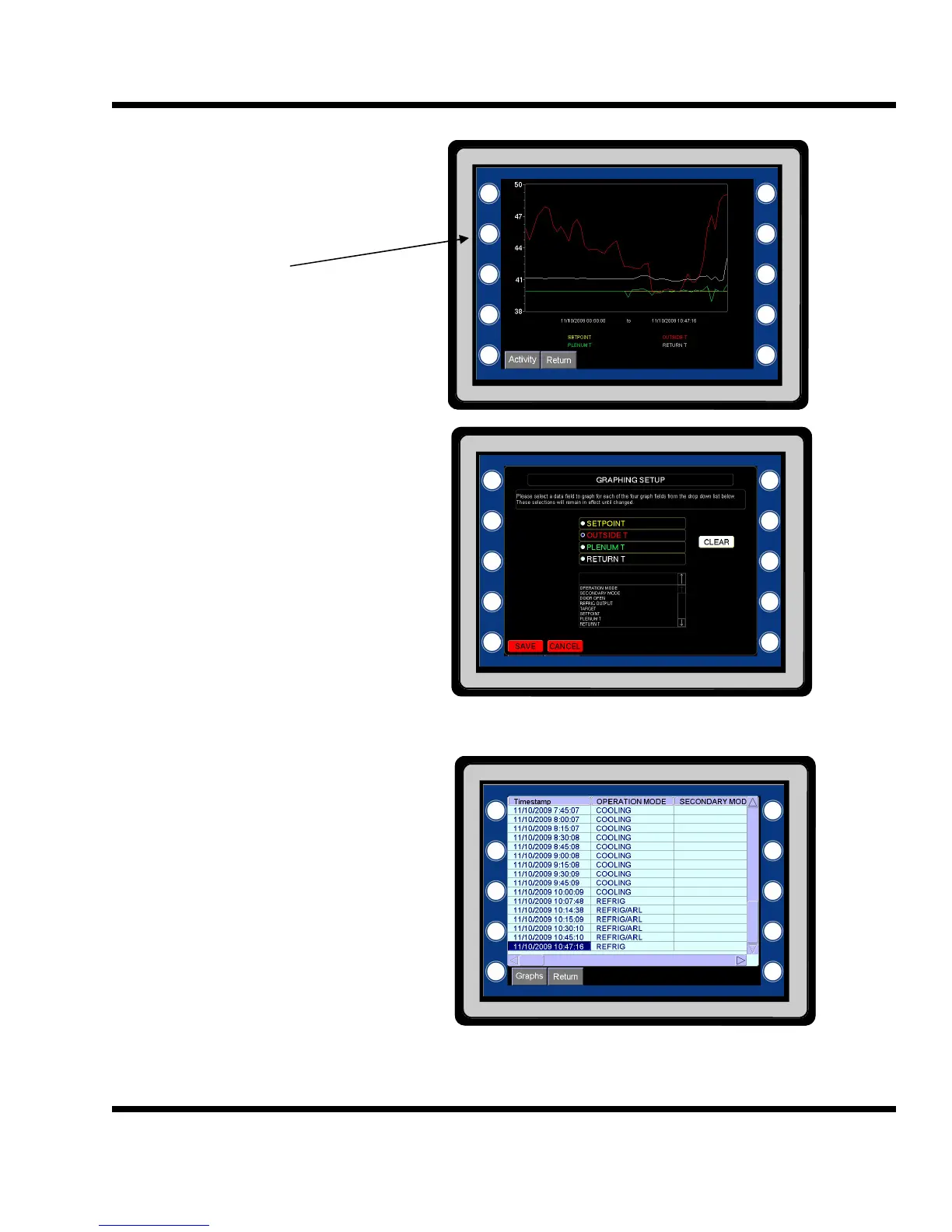
The graph displays the selected time
frame. The vertical axes will auto scale.
Up to four points can be selected to graph.
To change the graph points press the sec-
ond button on the left.
To select the different graph values, click
one of the four radio buttons and then on
the drop down. Select the desired pa-
rameter.
To remove a channel, click on the radio
button and then on CLEAR.
When done click on SAVE.
5.17 Activity Log
On the Graph page, click on the Activity
button to see detailed operation.
The activity log shows regular averaged
records plus the activity. Any mode
change will insert a instantaneous record
into the log. All the information can be
seen by scrolling up and down and left to
right.
Click on Graphs to go back to the Graph
page or on Return to go back to the main
screens.
The record format can be changed by cus-
tom building a csv file. See appendix A for
information on changing the records for-
mat.



 To Next Page