39
BTU VENTILATION CORPORATION ● OFFICE 888-884-8070 ● FAX 218-346-7485 ●
www.btucorp.com
XT-70 Control Panel 39
HMI REFRIGERATION INTERFACE:
5.18
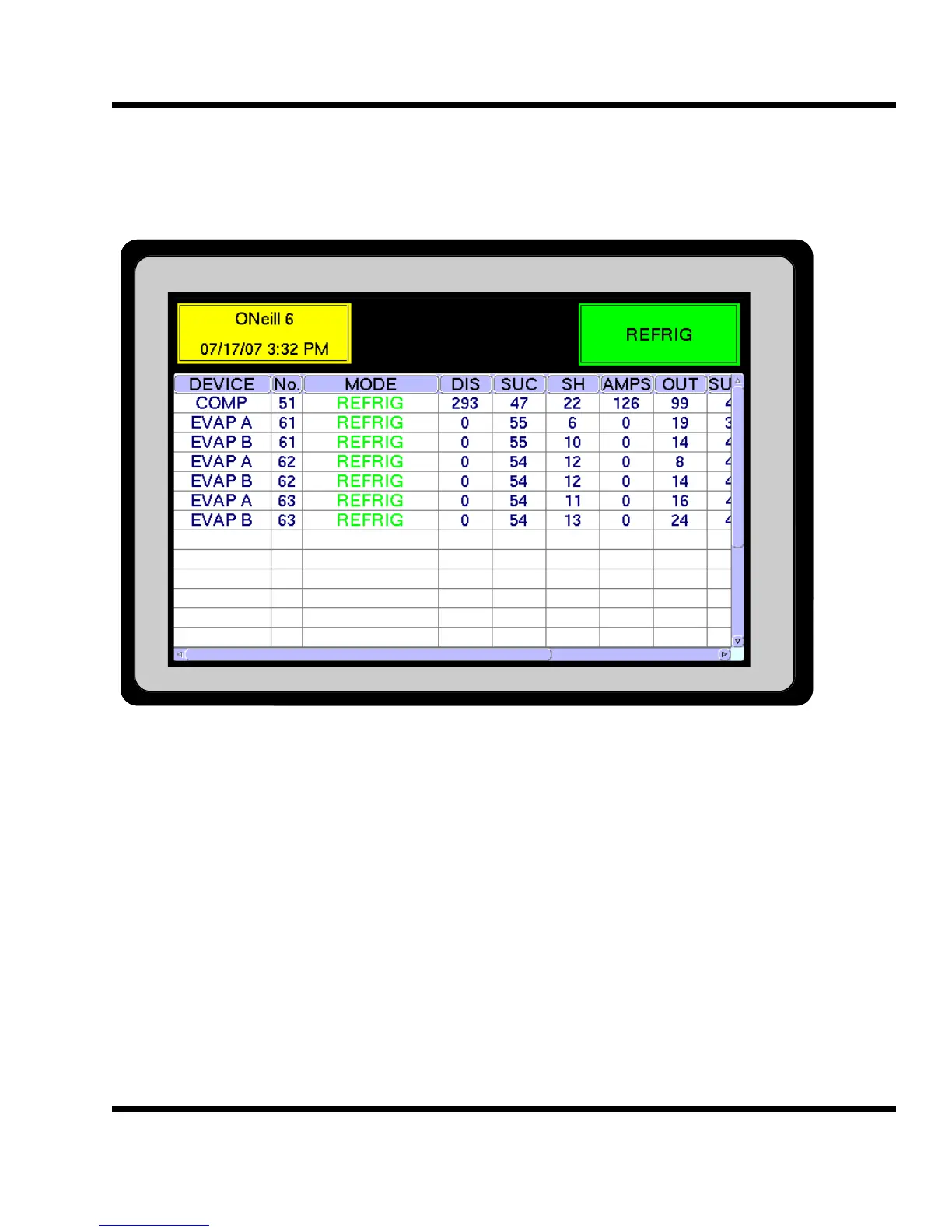
The Refrigeration Status screen is the last of the main screens and can be accessed using the <BWD
and FWD> buttons, or by using the hot key, pressing Refrig Level on the main screen. Under the Device
column, there will be either Comp (Compressor) or Evap (evaporator) showing. The main columns will
show discharge pressure, suction pressure, superheat, amps, percent output, suction temperature, dis-
charge temperature, superheat setpoint and lead compressor.
Pressing the RESET button for any of the devices will cause a reset of that card to occur. This can be
used to reset an alarm.
REFRIGERATION STATUS SCREEN



 To Next Page