BTU VENTILATION CORPORATION ● OFFICE 888-884-8070 ● FAX 218-346-7485 ●
www.btucorp.com
XT-70 Control Panel 26
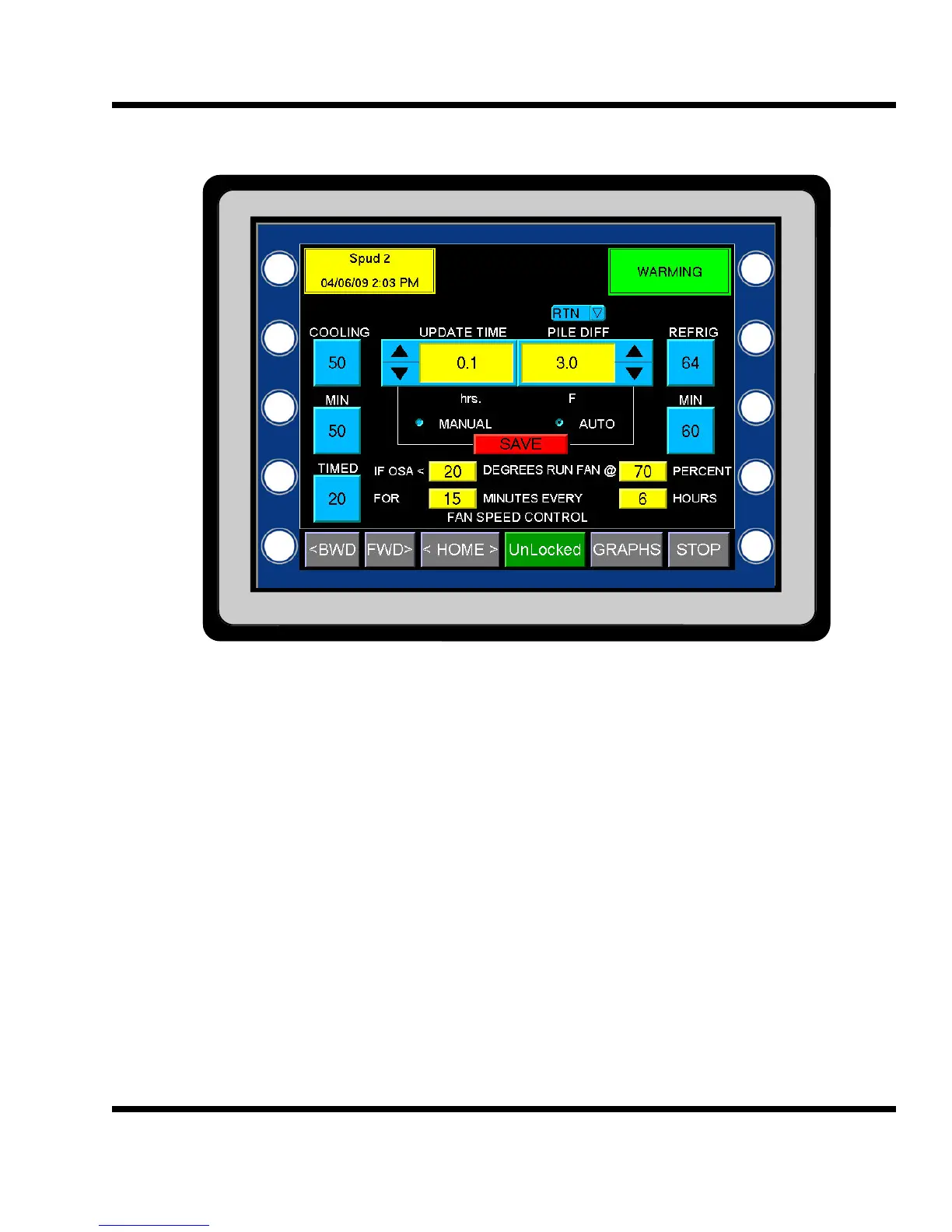
HMI FAN SPEED CONTROL:
The FAN SPEED CONTROL screen allows the user to set up a number of parameters that will control the speed
of the fans. Each of the five button can be programmed by pressing the button and then entering the value.
COOLING: This value is the percent output of the freq drive when the system is running in
Cooling mode. This value will adjust when fan speed control is set to Auto.
MIN: The MIN button directly under the COOLING button is the lowest setting that the fans
will ramp to when in Cooling mode and running in Auto.
TIMED: This value is the percent output of the freq drive when the system is running in
Timed mode.
REFRIG: This value is the percent output of the freq drive when the system is running in
Refrigeration mode.
MIN: The MIN button directly under the REFRIG button is the lowest setting that the fans
will ramp to when in Refrigeration mode and running in Auto. Note: if not running elec-
tronic expansion valves, the MIN should be set the same as the REFRIG.
AUTO / MANUAL: In the MANUAL mode, the fans will run at whatever speed the mode is set for. In Auto,
the fan speed will automatically adjust from 100% to the MIN setting for either Cooling or Refrigeration mode.
Once the system runs the amount of time equal to the UPDATE setting, it will either increment or decrement the
fan speed by 5%. It looks at the top and bottom of the pile and compares it to the PILE DIFF setting. If the calcu-
5.9



 To Next Page